What Is an AI Nail Art Design App? Your Complete Guide to Nail Art Innovation
Explore how AI nail art design apps use machine learning and AR to revolutionize manicures, offering creative freedom and personalization.

Estimated reading time: 8 minutes
Key Takeaways
- AI-driven previews let you experiment with designs without mess or cost.
- Personalization through text prompts, photo uploads, and AR delivers tailored manicures.
- Time and cost savings by reducing trial-and-error and speeding up consultations.
- Rich feature set includes virtual try-ons, trend feeds, customization tools, and saving options.
- Considerations such as ease of use, realism, variety, pricing, and privacy guide your app choice.
Table of Contents
- Understanding AI and Its Role in Nail Art
- Key Features of an AI Nail Art Design App
- Benefits of Using an AI Nail Art Design App
- How to Choose the Right AI Nail Art Design App
- Real-World Applications & Success Stories
- Step-by-Step Guide: Getting Started
- Conclusion & Call to Action
Understanding AI and Its Role in Nail Art
What Is Artificial Intelligence in Design?
- Machine Learning: Algorithms analyze thousands of nail images to learn patterns in colors, shapes, and textures.
- Computer Vision: Detects nail boundaries and fingertip contours in photos for accurate overlays.
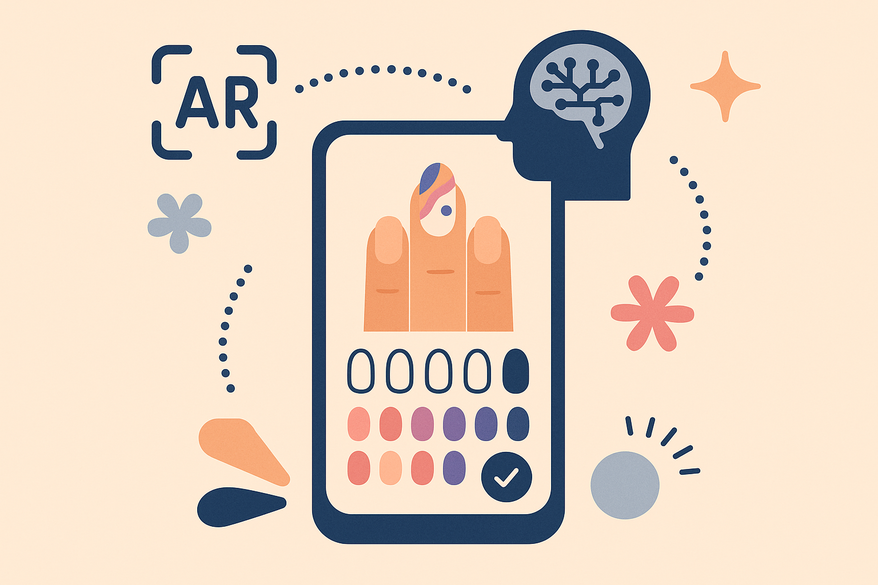
- Augmented Reality (AR): Projects digital nail art onto a live camera view for real-time previews.
These AI elements combine in an ai nail art design app to deliver personalized, realistic mockups in seconds.

Specific AI Applications in Nail Art
- Text-to-Design: Type prompts like “rose gold chrome with floral accent” to generate original visuals.
- Photo-Based Try-On: Upload hand photos; AI preserves skin tone and lighting while applying designs.
- Live AR Previews: Real-time overlays via camera in apps such as NailedBy and YouCam Nails.
- Trend & Preference Learning: Track styles from Instagram and TikTok; AI suggests palettes and finishes you’ll love.
Key Features of an AI Nail Art Design App
- Virtual Try-Ons:
Benefit: Preview designs on your own hands before polishing.
Example: NailedBy – realistic AR gel textures. - Design Customization:
Benefit: Adjust shape, length, colors, patterns, stickers, and finishes on-demand.
Example: YouCam Nails – extensive sticker and jewel library. - Text Prompt Generation:
Benefit: Transform text descriptions into unique nail art concepts.
Example: Nail Designer AI – type a prompt, get multiple mockups. - Trending Styles Feed:
Benefit: Automated inspiration from curated, up-to-date design catalogs.
Example: Fotor AI Nail Generator – fresh designs driven by social-media trends. - Skin-Tone & Style Matching:
Benefit: Personalized color and finish recommendations for every complexion. - Favorites & Saving:
Benefit: Store your top mockups for salon reference or share with friends.
For precision color matching, explore our in-depth guide.
Benefits of Using an AI Nail Art Design App
- Enhanced Creativity & Experimentation:
Try unlimited styles—ombre, chrome, negative-space—without cost or mess.
No artistic skill needed: AI tools balance proportions and details automatically. - Time & Cost Savings:
Virtual previews prevent costly trial-and-error and reduce extra salon visits.
Nail artists prototype looks faster, cutting consultation times. - Personalization & Trend Adaptation:
AI learns your favorites and tracks social-media trends for fresh, on-point designs.
Skin-tone, shape, and style matching delivers flattering suggestions every time.
How to Choose the Right AI Nail Art Design App
- Ease of Use: Look for intuitive interfaces, clear prompts, and simple camera/photo setup.
- Accuracy & Realism: Evaluate nail detection precision and texture/color simulation in try-ons.
- Design Variety: Check catalog size and diversity: themes, shapes, finishes, and seasonal looks.
- Customization Depth: Ensure ability to tweak individual nails, apply stickers, and adjust brush details.
- Social Media Integration: Built-in sharing to Instagram, TikTok, and other platforms for quick feedback.
- Pricing Model: Compare free vs. subscription options, generation limits, and premium feature costs.
- Where to Find User Feedback:
App Store ratings and reviews for real-world performance insights.
Nail-artist forums (Reddit r/Nails) for professional perspectives. - Future Trends to Consider:
Voice-driven prompts for hands-free design creation.
Advanced AR tracking for multi-angle previews in motion.
Pro-salon integrations linking consumer apps to booking and salon dashboards.
Real-World Applications & Success Stories
Case Study A: Salon-Level AI Nails Tool
Workflow: Photo upload → AI prototype layouts → edge refinement → client approval.
Outcome: Salons deliver 3× faster consultations with zero polish errors.
Case Study B: Indie Developer Use-Case (NailLoft)
NailLoft’s AI designer improved client communication by providing swipeable idea feeds and saving favorite designs.
Feedback: Clients reported clearer expectations and higher satisfaction.
Industry Impact:
Shift from physical sample wheels to digital AR lookbooks.
Broader portfolios: Salons offer complex designs without specialized hand-painting skills.
Future Possibilities:
Fully unique AI-tailored sets based on individual aesthetic histories.
Integrated full-look suggestions combining makeup, hair, and nails in one AI ecosystem.
Step-by-Step Guide: Getting Started with an AI Nail Art Design App
- Download & Setup:
• Find an ai nail art design app on App Store, Play Store, or official site.
• Install, open, and create an account or use guest mode.
• Grant camera and photo permissions for AR try-ons and uploads. - Basic Navigation & Initial Design:
• Select input mode: text prompt, trending catalog, or hand photo upload.
• Tap “Generate” to see AI mockups.
• Preview via live AR or photo overlay. - Exploring Advanced Features:
• Customize nail shape, length (almond, square, coffin), colors, gradients, patterns, stickers, jewels, and finishes.
• Use brush tools for accent nails and negative-space effects.
• Check personalized “For You” sections for trend-based ideas.
• Save favorites and share high-resolution mockups with friends or your nail artist. - Security & Privacy Tip:
Review app permissions and privacy policies to ensure photo and camera data are handled securely.
Conclusion & Call to Action
AI nail art design apps offer creativity boosts, time and cost savings, and personalized, on-trend manicures—all through intuitive machine learning, computer vision, and AR. Find the app that fits your style and workflow, then experiment with text-driven prompts, virtual try-ons, and curated trends to refine your next manicure. For insights on virtual manicure consultations, visit our guide.
Download an ai nail art design app today, subscribe for updates on new features and trend alerts, and share your AI-designed manicures on social media with #AINailArtDesignApp to inspire others.
FAQ
- What is an AI nail art design app?
An app that uses machine learning, computer vision, and AR to generate and preview nail designs on your hands. - Are these apps free?
Many offer free tiers with limited designs; premium subscriptions unlock more features and mockups. - How accurate are virtual try-ons?
Accuracy varies; top apps use high-resolution detection and realistic textures for near-true-to-life previews. - Can I save and share my designs?
Yes—most apps include favorites, saving, and built-in social sharing to Instagram, TikTok, and more. - Is my data secure?
Review each app’s privacy policy and permissions. Leading apps encrypt photos and comply with data regulations.