How an AI Nail Art Design App Is Revolutionizing Your Manicure
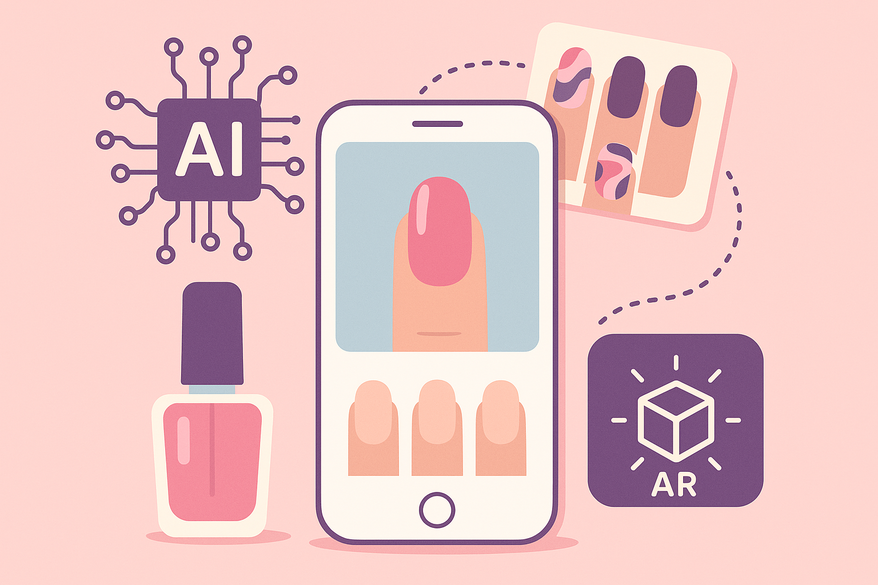
Explore how an AI nail art design app uses machine learning and AR to revolutionize manicures, offering personalized designs and virtual try-ons.

Estimated reading time: 4 minutes
Key Takeaways
- AI nail art apps harness machine learning and computer vision to craft personalized manicure designs.
- Features include text-to-image generation, AR try-ons, and layer-based customization tools.
- Practical benefits: saves time, reduces waste, and democratizes pro-level nail art.
- Limitations involve photo quality, prompt crafting, and hardware constraints.
- Future trends point toward 3D printing, wearable integration, and automated application robots.
Table of Contents
- Understanding AI and Its Role in Nail Art
- Key Features & Functionalities
- How It Works
- Benefits & Limitations
- Practical Tips
- Future Trends
- FAQ
Section 1: Understanding AI and Its Role in Nail Art
Artificial intelligence is computer software that learns from data to recognize patterns and generate images autonomously. In nail art, AI analyzes thousands of designs, color palettes, and styles to propose fresh ideas.
Evolution of beauty tech:
- Manual sketches on paper gave way to digital photo editors.
- Mobile apps like YouCam Nails introduced simple filters and overlays.
- Now, AI nail art design apps use deep learning to craft original designs.
How the app fits in:
- You type “floral spring nails” or upload a hand photo.
- The AI model uses past trends and your inputs to generate custom mockups.
- You review and save your favorites for salon or at-home use.
In essence, these tools bridge your vision with professional results, making nail art more accessible and on-trend.
Section 2: Key Features & Functionalities of an AI Nail Art Design App
An AI nail art design app packs multiple capabilities to streamline design and preview:
- AI-powered design generation
• Text-to-image: Enter wedding nails or chromatic shimmer for instant concepts.
• GANs craft unique patterns. - Personalization options
• Color palettes: vibrant, pastel, metallic.
• Styles: minimalist, futuristic, vintage.
• Themes: gradient, greyscale, seasonal. - Virtual try-ons via AR
• Live preview overlays your camera feed.
• Real-time adjustments for shape and size. - Customization tools
• Layer editing: drag-and-drop stickers, jewels, textures.
• Shape selector: almond, square, stiletto.
Practical example: A user types “holiday shimmer gradient.” The app returns eight unique mockups. She uses AR to tweak the metallic sheen and saves her top three looks to share with her nail tech.
For deeper insights into emerging applications, see AI nail art app trends deep dive.
Section 3: How an AI Nail Art Design App Works
Under the hood, an AI nail art design app relies on:
- Machine learning and model training
• Ingests millions of nail images from social feeds.
• Neural networks learn style patterns and color pairings. - Computer vision analysis
• Detects nail shape, length, and skin tone from photos.
• Segments nail boundaries for precise overlays.
Step-by-step process:
- User uploads a hand photo or enters a prompt like “pastel floral oval nails.”
- AI extracts parameters: cuticle position, nail canvas area, skin hue.
- The generative model produces multiple design concepts with textures like chrome or matte.
- The app renders AR previews and offers edit controls.
Over time, saved designs and quiz responses feed back to the model for ever more tailored recommendations.
Section 4: Benefits and Limitations of an AI Nail Art Design App
Benefits:
- Instant, tailored designs for weddings, holidays, or everyday wear.
- AR try-ons reduce salon trials, save polish waste, and cut costs.
- Trend insights: AI taps into social media for up-to-date styles.
- Beginner-friendly: no art skills needed; pros can speed up consultations.
Limitations:
- Photo quality and lighting affect accuracy.
- Crafting effective prompts takes practice.
- Intricate designs may need skilled application to match the mockup.
- AR realism and speed depend on device hardware.
To complement your manicure designs, the Maxx Report app provides AI-powered beauty reports, including nail analytics and personalized looksmaxxing insights. 
Section 5: Practical Tips for Using an AI Nail Art Design App
Maximize your experience with these best practices:
- Get set up
• Search “AI Nail Generator” or “Nails AI” in your app store.
• Complete the onboarding quiz to feed your style profile. - Craft precise prompts
• Specify shape, skin tone, occasion, and color family (e.g., “oval warm-toned pastel spring”). - Leverage AR previews
• Position camera under natural light for best results.
• Save or screenshot favorites to share with your technician. - Experiment with layering
• Combine French tips, glitter overlays, and digital stickers for hybrid looks. - Try virtual consultations
• Explore Virtual manicure consultations guide for remote design sessions.
Section 6: Future Trends in AI Nail Art Design Apps
The next wave of innovation promises deeper fusion of AI and beauty:
- Advanced 3D printing: Custom nail tips matching AI designs for at-home application.
- Wearable integration: Smart rings perform real-time skin analysis to auto-adjust palettes.
- AI–artist collaboration: Human nail artists refine AI suggestions for bespoke creations.
- Automated application robots: Salon robots apply polish with millimeter precision.
- Enhanced AR simulations: Full-hand and multi-angle previews with dynamic lighting.
These developments will push AI nail art apps from inspiration to full execution.
FAQ
- How accurate are AI-generated nail designs?
Accuracy depends on photo quality, lighting, and prompt clarity. Better inputs yield more realistic mockups. - Can I use these apps without an internet connection?
Most require online model access, but some offer basic offline filters and saved designs. - Do I need special devices for AR try-ons?
A modern smartphone or tablet with a decent camera and AR support is all you need. - Are AI nail art apps free?
Many are free to download with optional in-app purchases or subscriptions for premium features. - Where can I share my designs?
Export screenshots to social media or share directly with salon technicians via in-app messaging.