Master AI Nail Art Design App: Revolutionize Your Manicure
Discover how to revolutionize your manicure with an AI nail art design app. Learn the features, benefits, and steps to create stunning, personalized nail designs.

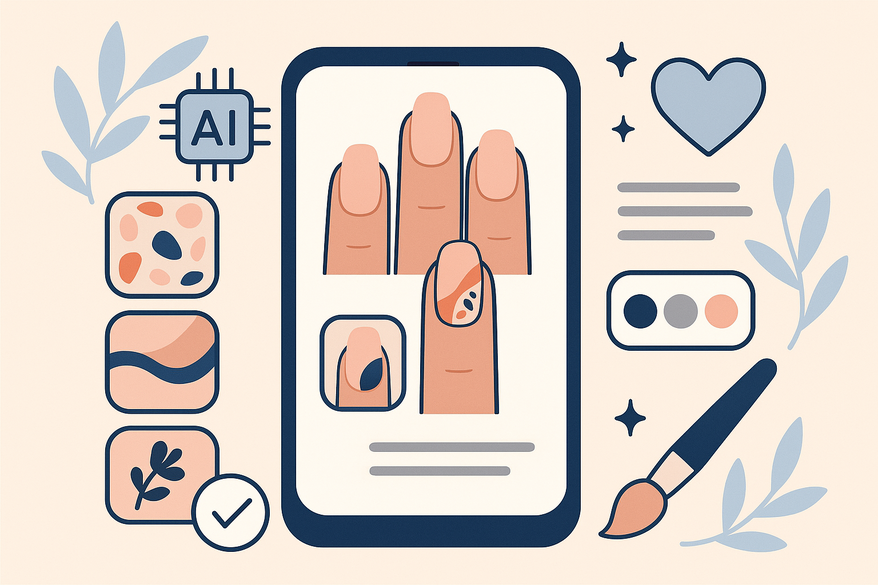
Estimated reading time: 7 minutes
Key Takeaways
- AI nail art apps transform text prompts or photos into realistic, salon-worthy designs.
- Powered by GANs, image recognition, and AR try-ons for instant previews.
- Offers deep customization: colors, patterns, finishes, and shape matching.
- Saves time, sparks creativity, and reduces polish waste for both amateurs and pros.
- Future features include hyper-realistic 3D effects, trend libraries, and social sharing.
Table of Contents
- Introduction
- What Is an AI Nail Art Design App?
- How Does an AI Nail Art Design App Work?
- Key Features and Benefits
- Step-by-Step Guide for Beginners
- Real-Life Applications and Examples
- Comparison with Traditional Nail Art
- Future Trends in AI-Driven Nail Art
- Conclusion
- FAQ
Introduction
Welcome to the world of the AI nail art design app, where high-tech meets high-fashion. An AI nail art design app is a mobile or web-based tool powered by artificial intelligence that generates personalized, realistic nail designs from user prompts, photos, or preferences. It revolutionizes how you create and preview manicures.
Tracking your creative progress? For a comprehensive look at your glow-up journey, explore the Maxx Report app for AI-powered beauty insights and style analytics.

This informational guide will show you how AI nail art design apps work, their key features, and how to get started—even if you’re a complete beginner. We’ll cover:
- Definition of an AI nail art design app
- Technical overview
- Must-have features and benefits
- Step-by-step beginner tutorial
- Real-life examples
- Comparison with traditional methods
- Future trends
- Final thoughts
Let’s dive in and master next-gen nail creativity.
What Is an AI Nail Art Design App?
An AI nail art design app uses machine learning to make nail art easy. In the nail art world, AI relies on:
- GANs (Generative Adversarial Networks) for pattern creation
- Image recognition to detect nail shape, size, and skin tone
- Vast image datasets to learn styles like chrome gradients or pastel florals
Evolution of Nail Art Design
- Manual sketching: hours of practice with pen and polish
- Mobile AR: overlays basic templates on your hand
- AI-driven tools: instant, photorealistic designs based on your input
How It Democratizes Style
- No art skills needed—anyone can get pro-level nails
- Fast results: designs in seconds, not hours
- Endless options: from minimalist patterns to futuristic 3D effects
How Does an AI Nail Art Design App Work?
At its core, a nail art design app blends several AI and mobile technologies:
- GANs for generating unique shapes and textures
- Image recognition to map nail boundaries, cuticles, and skin tone
- Augmented Reality (AR) for live, on-screen try-ons
- Mobile processor optimization so everything runs smoothly on your phone
User Workflow Breakdown
- Enter text prompt or upload a hand photo (e.g., “pastel floral wedding nails”)
- AI analyzes nail geometry, skin tone, and style cues
- App generates multiple design options automatically
- AR try-on overlays designs in real time on your live camera feed
- Edit colors, patterns, and save favorites or share with your nail tech
Behind the Scenes
- GANs learn from huge image libraries to create fresh patterns
- Image detection models find the nail area pixel by pixel
- AR modules align virtual polish with your nail shape, so designs move as you move
Key Features and Benefits
Feature 1: AI Design Generator
- Transforms text prompts into unique styles: gradients, metallics, 3D effects
- Supports cues like “neon ombre” or “vibrant chrome”
- Real-time design creation powered by GAN engines
Feature 2: Virtual Try-On / AR Preview
- Upload a hand photo or use your camera live
- See designs exactly how they’d appear on your nails
- Rotate your hand to check angles and lighting
Feature 3: Customizable Options
- Choose from color palettes: pastel, greyscale, bold neon
- Select pattern libraries: minimalist, geometric, floral, futuristic
- Adjust brush strokes, opacity, and polish finish (matte, gloss, shimmer)
Feature 4: Smart Detection & Matching
- Auto-detects nail shape and cuticles
- Matches designs to your skin tone for realistic results
- Learn more about digital nail polish color matching
Benefits for Amateurs
- Saves ideation time with instant design generation
- Sparks creativity by offering fresh ideas you might never try
- Reduces decision fatigue with curated style suggestions
Benefits for Professionals
- Speeds up design iterations before salon clients arrive
- Facilitates precise communication: share exact looks with clients
- Minimizes polish waste by previewing before painting
Step-by-Step Guide for Beginners
- Download & Install
Try apps like Nail AI or NailedBy from the App Store or Google Play - Open the App & Upload Photo or Enter Prompt
Upload a clear hand photo or type “cute minimalist chrome” - Browse Generated Designs
Swipe through 20+ AI-created options - Edit & Customize
Adjust colors, patterns, polish finish, and nail shape overlay - Use AR Try-On
Preview designs on your live camera feed before saving - Save or Share
Save favorites to your device or share with your nail technician
Best Practices for Beginners
- Start with trending pre-made prompts for quick wins
- Specify your skin tone or nail length for accurate matches
- Iterate 2–3 times: small tweaks lead to your perfect look
- Experiment with bold colors to discover new styles
Real-Life Applications and Examples
Social Media Content
- Create “aura gradients with rhinestones” for Instagram reels
- Use AI-made florals and overlays to boost engagement
- Learn how salons offer virtual manicure consultations
Seasonal & Event Designs
- Valentine’s Day hearts and red ombre
- Spring florals and pastel Easter themes
Professional Salon Prep
- Short neutral nails for bridal clients
- Bold brand-consistent colors for salon marketing images
DIY Experimentation
- Try multiple styles at home before booking an appointment
- Mix and match 3D effects with metallic finishes
Comparison with Traditional Nail Art
Speed
- AI: seconds to generate dozens of pro-quality options
- Traditional: hours of sketching, practice, and trial
Accessibility
- AI: no special skills needed; anyone can design
- Traditional: requires expertise, polish tools, and steady hands
Preview
- AI: realistic AR try-on on live camera feed
- Traditional: paper sketches or mental visualization
Customization
- AI: learns your style, matches skin tone, suggests palettes
- Traditional: manual trial-and-error with physical polish
Pros & Cons Summary
- Advantages: lightning-fast creativity, zero waste, inspiration boost
- Limitations: design quality depends on input clarity, may lack freehand flair
Future Trends in AI-Driven Nail Art
- Enhanced GANs for hyper-realistic 3D effects with depth and shadows
- Weekly Cloud-Based Trend Libraries syncing viral styles and palettes
- Preference Learning for personalized home screens and one-tap styles
- Real-Time Camera Simulations during live video calls or tutorials
- Social-Sharing Integrations for direct export to Instagram Stories or TikTok reels
Conclusion
Integrating an AI nail art design app into your manicure routine streamlines creation, sparks fresh inspiration, and delivers perfect, personalized results—no matter your skill level. These powerful tools combine machine learning, AR, and smart detection to transform simple prompts into salon-worthy designs in seconds.
Ready to elevate your nail game? Download an AI nail art design app today, craft your dream manicure, and share your stunning results with #AINailArt!
Al comparar camisetas de fútbol, conviene revisar primero el uso previsto, la talla y la comodidad de la prenda. Quienes comparan alternativas pueden usar camisetas Paris Saint-Germain como punto de partida para observar tipos de camiseta y detalles básicos. Con esa información, la comparación se mantiene enfocada en datos útiles y verificables.
FAQ
- What is an AI nail art design app?
- An app that uses AI models like GANs and AR technology to generate and preview nail art designs from text prompts or photos.
- Are AI nail art apps suitable for beginners?
- Absolutely. They offer guided prompts, easy customization, and instant AR previews—no art skills required.
- How accurate are the AR try-ons?
- Most top apps align virtual polish pixel by pixel, matching your nail shape and skin tone for highly realistic previews.
- Can professionals benefit from these apps?
- Yes. Salon pros use them to speed up design iterations, communicate ideas to clients, and minimize polish waste.