How an AI Nail Art Design App Is Revolutionizing Manicure Creativity
Discover how an AI nail art design app reshapes manicure creativity with machine learning, GANs, and AR, offering fast, personalized design experiences.

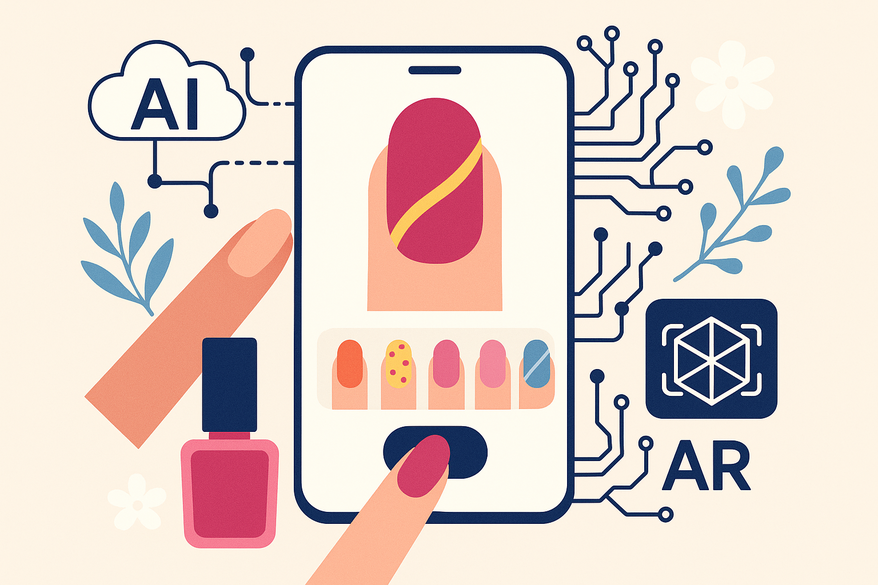
Estimated reading time: 7 minutes
Key Takeaways
- AI-driven apps blend machine learning, GANs, computer vision, and AR to generate custom nail art in seconds.
- Key features include text-to-image prompts, photo-based designs, style selection, virtual try-on, and color customization.
- Users enjoy salon-quality results, personalized designs, and streamlined workflows without formal training.
- Future innovations will add 3D visualization, predictive personalization, real-time collaboration, and sustainable recommendations.
Table of Contents
- Background & Trends
- How AI Nail Art Design Apps Work
- Benefits for Users
- Step-by-Step Guide
- Future Outlook
- Conclusion
- FAQ
Background & Trends
The story of nail art is rich with innovation, evolving from hand-painted techniques to digital overlays. AI is the latest chapter, transforming how we conceive and create designs.
Historical Evolution of Nail Art
- Early designs relied on manual brushes, dotting tools, and steady hands.
- Digital editors introduced basic pattern overlays, offering a glimpse of possibilities.
- Complex styles once required years of practice and professional training.
Emergence of AI in the Beauty Industry
- Skincare diagnostics and virtual makeup try-ons paved the way for AI personalization.
- Brands now use neural networks to match foundation shades and perfect lipstick finishes.
- In nail art, AI amplifies human creativity without replacing the artist’s vision.
Current Trends in 2025–2026 AI Nail Art
- Instant personalized designs adapt to seasons, user preferences, and social trends.
- AR-powered virtual try-ons reduce guesswork before application.
- Salons increasingly integrate AI for faster inspiration and enhanced client workflows.
How AI Nail Art Design Apps Work
Behind the scenes, several technologies collaborate to deliver stunning nail art:
Core Technological Components
- Machine Learning Algorithms: Trained on vast image datasets to learn style relationships.
- Generative Adversarial Networks (GANs): A generator and discriminator create and refine professional-grade designs.
- Computer Vision: Analyzes nail shape, length, curvature, skin tone, and texture from user photos.
- Augmented Reality (AR): Overlays virtual art onto live camera feeds for real-time preview.
Key Features & Functionalities
- Text-to-Image Generation: Type prompts like “pastel floral accents” and get AI-drawn options in under 30 seconds.
- Photo-Based Design: Upload a hand photo; AI suggests patterns tailored to your nails.
- Style Preference Selection: Select categories (minimalist, geometric, 3D, seasonal) to guide output.
- Virtual Try-On: Use AR to adjust placement, scale, and angle directly on your hands.
- Color Customization: Modify hue, gradient, and intensity on generated palettes.
- Inspiration Library: Browse AI-curated galleries by trend, season, and style.
Benefits for Users
- Time Efficiency: Create complex designs in seconds instead of hours.
- Enhanced Creativity: Access limitless variations and unexpected aesthetic combinations.
- Deep Personalization: Tailor designs to your nail shape, skin tone, and event themes.
- Accessibility: Achieve salon-quality art at home without formal training.
- Reduced Uncertainty: AR previews ensure the final look matches your expectations.
- Professional Edge: Nail technicians speed up consultations and boost client satisfaction.
Step-by-Step Guide
Initial Setup
- Download the AI nail art design app from the App Store or Google Play.
- Create an account to save and manage your designs.
- Grant camera and photo-library permissions for AR and photo-based features.
Creating Your First Design
Method 1: Text Prompt Input
- Select “Describe Your Design.”
- Enter a detailed prompt, e.g., “minimalist black-and-white geometric with gold accents.”
- Tap “Generate,” then browse and pick your favorite AI options.
Method 2: Photo-Based Design
- Upload or capture a clear hand photo.
- Allow AI to analyze nail shape, length, and skin tone.
- Review and select the suggested patterns.
Method 3: Style Preference Selection
- Browse categories like floral, 3D, or seasonal.
- Pick 3–5 styles and specify your color palette.
- Let AI generate designs that match your tastes.
Maximizing App Features
- Virtual Try-On: Hold your hands in front of the camera for a live preview.
- Design Refinement: Use the “Edit” tool to tweak colors, pattern density, and placement.
- Pro Tips: Provide specific prompts, use well-lit photos, and check trending galleries.
Future Outlook
- 3D Visualization & Haptic Feedback: Feel textured designs and view them in three dimensions.
- Predictive Personalization: AI will anticipate your style preferences from past data.
- Real-Time Collaboration: Co-design sessions with clients and technicians.
- Sustainability Integration: Eco-friendly recommendations to minimize waste.
- Smart Nail Technology: Designs for color-changing and LED-embedded nail materials.
Conclusion
AI nail art design apps harness machine learning, GANs, AR, and computer vision to democratize salon-quality manicures. They deliver rapid generation, deep personalization, and boundless creativity. Ready to elevate your manicure game? Download an AI nail art design app and see how artificial intelligence is transforming nail art.
For virtual consultations, explore virtual consultations and discover precise color-matching capabilities. For an in-depth style analysis, try the Maxx Report.

FAQ
What devices support AI nail art apps?
Most apps run on iOS and Android smartphones with AR capabilities. Ensure your device is updated and has a good-quality camera.
Do I need professional skills to use these apps?
No. Intuitive interfaces and AI tools make it easy to generate salon-quality designs without formal training.
Is my privacy protected when uploading hand photos?
Reputable apps use secure protocols and do not store images beyond the design process unless you opt in.
Can I share or export my designs?
Yes. Most apps allow you to save, export, or share high-resolution images and design templates.
What if the AR preview doesn’t match the real application?
Ensure good lighting and a steady hand during scanning. Use the “Edit” feature to fine-tune placement and scale.