Revolutionize Your Manicure with an AI Nail Art Design App
Discover how an AI nail art design app can transform your manicure experience with fast, customized, and eco-friendly designs.

Estimated reading time: 7 minutes
Key Takeaways
- Understand how AI powers next-gen nail art design apps—from machine learning to AR try-on.
- Explore standout features like text-to-design engines, virtual overlays, and pattern editors.
- Discover benefits: faster ideation, reduced waste, boosted creativity, and cost savings.
- Peek into the future: robotic manicures, 3D-printed decals, and voice-activated interfaces.
Table of Contents
- What Is an AI Nail Art Design App?
- How AI Integrates Into Nail Art Design
- Key Features and Functionality
- Benefits of Using an AI Nail Art Design App
- AI vs. Traditional Nail Art Methods
- User Experience and Practical Tips
- Future Trends and Innovations
- Conclusion
- FAQ
What Is an AI Nail Art Design App?
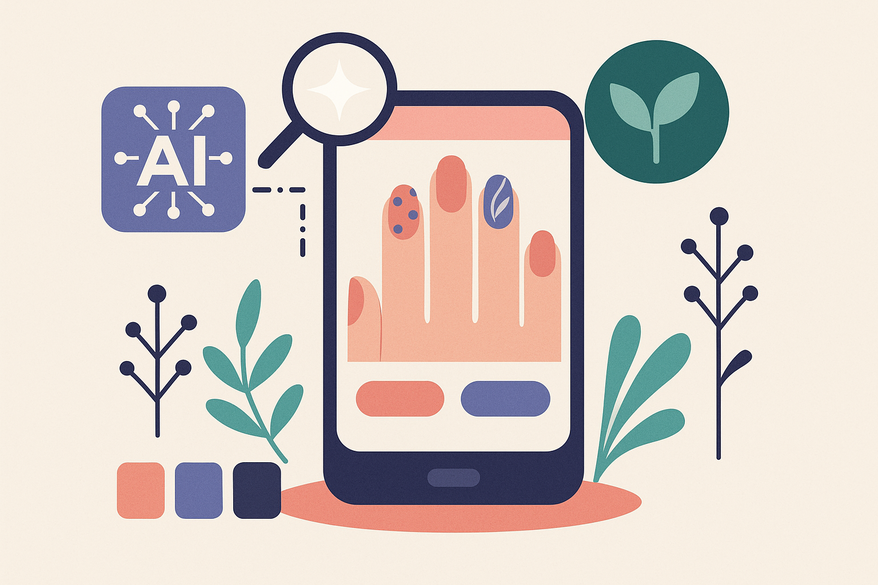
An AI nail art design app is a digital tool that uses trained neural networks on millions of images—Instagram, TikTok, runway shows—to generate unique nail patterns. It tailors each design to your nail shape, length, and skin tone.
Core AI Components:
- Machine Learning: Models learn color harmonies and motif trends.
- Computer Vision: The app scans your hand, maps nail geometry, and detects skin tone.
- Generative Models: Similar to DALL·E, they synthesize brand-new patterns from scratch.
Real-World Example
- A salon uses the app to scan a client’s hand, then shows three AI-generated seasonal collections.
- The client selects a neon floral design that fits her exact nail length.
- For an in-depth look at virtual services, see our guide to virtual manicure consultations.
How AI Integrates Into Nail Art Design
AI nail art design apps rely on four main technologies working together. Each brings speed and precision to the salon and home manicure.
-
Machine Learning for Trend Forecasting
- Trained on large trend datasets to predict popular motifs.
- Updates weekly with new images from social media.
-
Computer Vision for True-to-Life Mapping
- Reads nail curvature and hand positioning.
- Adjusts overlays to match perspective and lighting.
-
Generative Models for Custom Patterns
- Text-to-design prompts: “neon galaxy with glitter accents.”
- Creates high-resolution, print-ready designs.
-
Augmented Reality (AR) for Live Try-On
- Uses camera feed to overlay designs in real time.
- Adjusts for color shifts in different lighting—perfect when combined with digital nail polish color matching.
Key Features and Functionality
An AI nail art design app offers four standout feature sets. These streamline design, preview, and sharing.
- AI-Generated Designs
- Text-to-Design Engine: Type prompts and get multiple AI-crafted options.
- Theme Libraries: Seasonal, geometric, and 3D-effect collections.
- Virtual AR Try-On
- Camera Overlay: Fits designs to nail size, shape, and skin tone.
- Real-Time Controls: Rotate, zoom, and switch lighting modes.
- Customization Options
- Color Picker: Shows AI-suggested palettes based on current trends.
- Pattern Editor: Scale, rotate, mirror, and layer elements.
- Personalization: Recalls favorite colors and past designs from your profile.
- User Interface & Interaction
- Onboarding Tutorial: Guide to grant camera, set skin-tone reference.
- Slider Controls: Adjust intensity, gloss, and pattern density.
- Export & Share: Download high-res PNG or post directly to Instagram/TikTok.
Benefits of Using an AI Nail Art Design App
- Efficiency
- Cuts ideation from hours to seconds.
- Reduces polish waste by previewing designs digitally.
- Creativity Boost
- Delivers unlimited, trend-forecasted inspiration.
- Drives social media engagement with unique, shareable art.
- Innovation & Cost Savings
- Lowers salon consultation times, saving overhead.
- Personalizes recommendations to boost client loyalty.
- Professional & Amateur Appeal
- Professionals streamline workflow and upsell premium designs.
- Amateurs get risk-free experimentation at home.
For a broader look at how AI can upgrade your overall aesthetics—beyond just nails—explore Maxx Report, which provides comprehensive AI-powered beauty assessments and personalized transformation insights.

AI vs. Traditional Nail Art Methods
| Aspect | Traditional | AI |
|---|---|---|
| Speed | Hours to hand-sketch | Seconds to generate options |
| Personalization | Limited by artist skill | Data-driven, tailored to user |
| Preview | Static mood boards | Interactive AR try-on |
| Accessibility | Requires training | Friendly UI for novices |
User Experience and Practical Tips
Getting Started
- Download a top app (e.g., Leonardo.AI-powered).
- Grant camera and mic access for AR and voice prompts.
- Enter a prompt: “almond nails, pastel goth floral.”
- Refine design with sliders: pattern size, color saturation.
- Save high-res PNG or share to social.
Maximizing Benefits
- Explore in-app galleries—“like” designs to train AI.
- Update profile preferences monthly for fresh trends.
- Use voice prompts for hands-free design tweaks.
Future Trends and Innovations
- Robotic Manicures: AI-controlled robotic arms painting with surgeon-level precision.
- Predictive Trend Engines: Forecast next-season color palettes from salon check-in data.
- 3D-Printed Polishes & Accessories: Print custom charms and decals on demand.
- Voice-Activated & Wearable Interfaces: Smart-ring controls or AR glasses for hands-free salon use.
- Sustainability Focus: AI simulations that reduce chemical waste by eliminating test products.
Conclusion
An AI nail art design app redefines nail art by merging AI, AR, and personalization. You get:
- Fast, data-driven designs.
- Interactive AR previews.
- Cost and waste reduction.
- Endless creative possibilities.
Call to Action: Step into the future of manicure design. Download your favorite AI nail art design app, craft your unique look, and show the world your tech-powered style.
FAQ
- Blurry AR Preview? Ensure even lighting and stable camera alignment for accurate overlays.
- No Designs Returned? Add specifics like “glitter” or “holo topcoat” to your prompt to guide the AI.
- AR Misalignment? Recalibrate the app’s hand detection feature or install the latest update.