Revolutionize Your Manicure with the Best AI Nail Art Design App
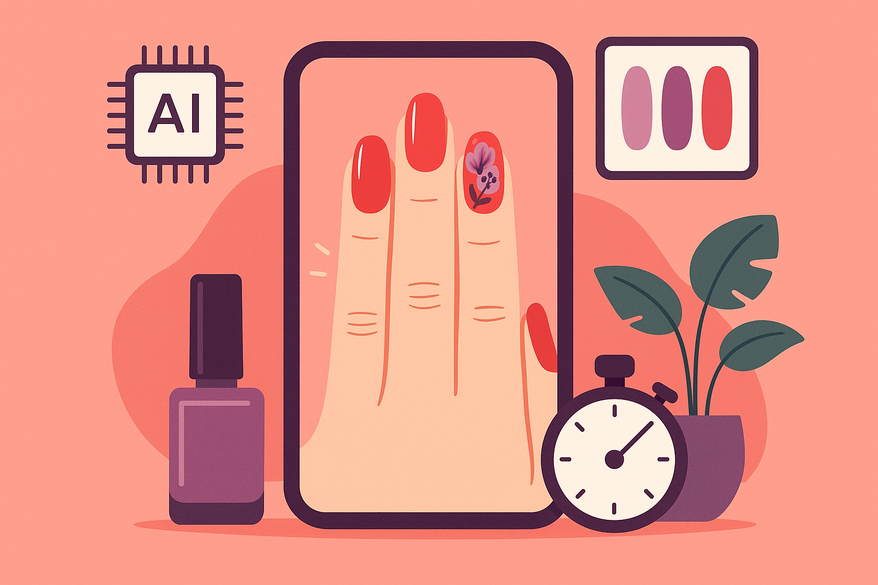
Discover the transformative power of an AI nail art design app, offering endless creativity, salon-quality results at home, and significant time savings.

Estimated reading time: 5 minutes
Key Takeaways
- Democratized creativity for all skill levels
- Significant time and cost savings
- Enhanced precision with natural-look color matching
- Sustainable practice with reduced nail polish waste
Table of Contents
- The Evolution of Nail Art and Technology
- How the AI Nail Art Design App Works
- Benefits of Using an AI Nail Art Design App
- User Experience and Practical Applications
- Tips for Getting the Most Out of the App
- Future Trends and Developments in AI-Based Nail Art
- Conclusion
The Evolution of Nail Art and Technology
From ancient henna patterns to AI-driven designs, nail art has undergone remarkable advances.
- 5,000 BC: Egyptians apply plant dyes and henna for symbolic nail art.
- 20th century: Hollywood glam introduces bright polishes and hand-painted motifs.
- 1980s: Gel polish and UV lamps extend manicure longevity.
- 2000s: Photoshop digital mockups let artists preview shapes and colors.
- Post-2020: Generative AI models like Stable Diffusion inspire beauty-tech innovation.
Modern AI in nail art (2023–2024):
- Computer vision detects nail boundaries, shapes, and skin tone.
- Generative AI crafts personalized designs from trends or text prompts.
- Popular apps include CutieCure, Cutout.pro Nail Art Gallery, Uñas IA, NailedBy.
- By 2026, AR integration will enable real-time previews and social sharing.
This journey shows how art and technology unite for richer nail-design experiences. (Source: beautytechinsights.com)
How the AI Nail Art Design App Works
Core Workflow:
- Upload a clear hand photo or open the live camera feed.
- Select from templates or describe your style in words.
- AI generates a realistic, high-resolution preview.
Key Features & Functionalities:
- AI Simulation/Try-On: Detects nail edges and maps designs (e.g., Uñas IA, NailedBy).
- Generative Design: Text-to-nail prompts like “neon stripes on almond nails.”
- AR Overlay: Live feed previews that move with your hand.
Technical Breakdown:
- Image Recognition: Neural networks detect each nail’s edge, length, and tone.
- Pattern/Color Generation: AI matches trend data and renders textures (chrome, glitter).
- AR Overlay or Static Render: Choose live, walk-around effects or side-by-side before/after images.
Innovative Aspects:
- Multi-language support (Uñas IA covers seven languages).
- Salon Marketing Tools: Export high-res images for social media and portfolios.
- Portfolio-ready Exports: Save galleries with client details.
Benefits of Using an AI Nail Art Design App
- Boosted Creativity: Generate unlimited, unique designs in seconds.
- Time & Cost Savings: Three-step process cuts manual sketching hours.
- Enhanced Precision: AI matches polish colors to your skin tone.
- Greater Accessibility: Beginners achieve pro-level designs.
Learn more about color precision and nail polish matching.
User Experience and Practical Applications
UI Overview:
- Clean dashboards with clear menus and searchable galleries.
- One-tap save/share buttons for instant social posts.
- Simple three-step flows guide new users (e.g., Uñas IA).
Target User Groups & Use Cases:
- Enthusiasts: Previsualize DIY or salon designs with AR previews.
- Beauty Brands: Generate marketing-ready images without photo shoots.
- Professional Nail Artists/Salons: Create client mock-ups and portfolio shots—see virtual consultations.
Tips for Getting the Most Out of the App
- Use well-lit, natural-light hand photos for accurate detection.
- Start with built-in templates (Uñas IA offers hundreds).
- Combine prompts: “velvet chrome with jewels, medium skin tone.”
- Customize Shapes: Adjust length and curvature in AI Nail Designer.
- Share with Techs: Export galleries to send specs to your nail artist.
Future Trends and Developments in AI-Based Nail Art
- Hyper-personalization via Biometrics: Scan skin chemistry to recommend long-lasting polishes.
- AR Glasses Integration: Display virtual nails in smart glasses without a phone.
- Multimodal AI Controls: Use voice (“Make it sparkly!”) and gestures to change designs.
- Sustainability Impact: Virtual testing cuts polish waste and chemical disposals.
- Industry Projections: The AI beauty market is set to reach $20 billion by 2030. (Source: industryreports.com)
Conclusion
An AI nail art design app transforms creativity, precision, and efficiency—democratizing salon-quality manicures for anyone, anywhere. From ancient henna to generative AI, nail art has never been more accessible. Ready to nail your next look? Download the app, upload your hand photo, and explore endless designs risk-free!
For personalized beauty analytics—tracking nail-art progress or other glow-up metrics—don’t miss the new Maxx Report.

Call to Action:
- Try the AI nail art design app today.
- Share your favorite designs on social media.
- Tag friends and start a virtual nail party!
- Explore our full guide to virtual manicure consultations: full guide to virtual manicure consultations
FAQ
What is an AI nail art design app?
An AI nail art design app uses computer vision and generative models to create and preview nail-art designs on your photo or live camera feed.
Is the app free to use?
Many apps offer basic features for free, with premium templates and high-resolution exports available via subscription or one-time purchase.
What photo quality works best?
Use clear, well-lit images taken in natural light to ensure accurate nail boundary detection and color matching.
Can professional nail artists benefit?
Absolutely—creatives can generate client mock-ups, build portfolios, and streamline virtual consultations.
Is my personal data secure?
Reputable apps employ encryption and privacy policies to protect your images and design data. Always review the app’s privacy statement before uploading.