Transform Your Manicure with an AI Nail Art Design App
Learn how an AI nail art design app uses machine learning and augmented reality to personalize nail designs and elevate your manicure experience.

Estimated reading time: 8 minutes
Key Takeaways
- Instant Creativity: AI nail art apps let you generate and preview custom manicure designs in seconds.
- Advanced Tech: They combine machine learning, computer vision, and AR for real-time virtual try-on.
- Top Features: Text-to-image generation, color customization, preset style libraries, and one-tap workflows.
- Major Benefits: Boosts creativity, saves time, improves decision-making, and serves salon professionals.
- Future Trends: Expect hyper-personalization, 3D realism, in-salon integration, and gesture controls.
Table of Contents
- What Is an AI Nail Art Design App?
- Background on AI in Creative Design
- How an AI Nail Art Design App Works
- Key Features & Capabilities
- Benefits of Using an AI Nail Art Design App
- Practical Tips
- Future Trends
- Maxx Report Insight
- Conclusion
- FAQ
What Is an AI Nail Art Design App?
An AI nail art design app is a smartphone or web application that uses computer vision and machine learning to interpret user inputs—like text prompts or photos—and create unique manicure designs. It blends neural network pattern recognition with style-transfer algorithms to produce fresh ideas on demand.
Core Functions:
- Generate Designs from Prompts: Type “rose gold geometric” and get multiple AI-crafted mockups.
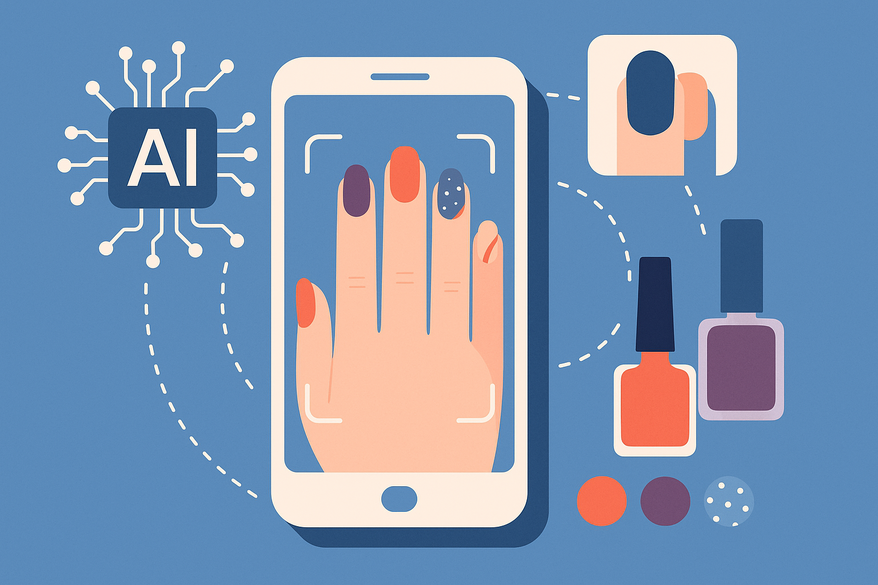
- Virtual Try-On: Use your camera or upload a hand photo to see designs in real time.
- Customization Controls: Tweak polish color, nail shape, finish, and pattern scale.
- Export Reference Images: Save or share high-res files for salon use.
For virtual consultations, explore virtual manicure consultations.
Background on AI in Creative Design
AI nail art apps sit at the crossroads of creative design and technology. They borrow from ML models used in digital art generators and food styling tools. At their core, these systems convert text or images into visual concepts, enabling rapid experimentation.
Evolution of Nail Art:
- manual Sketching: Artists once drew designs by hand on paper or nail tips.
- Physical Mockups: Stickers, decals, and trial nails helped preview ideas.
- Digital Generation: Graphic editors offered limited templates.
- AR-Based Previews: Modern apps detect nail boundaries and overlay art using augmented reality.
Advanced Features:
- Hand & Nail Detection: Computer vision pinpoints nail edges for precise placement.
- AR Overlay: Real-time augmented reality matches designs to hand shape and skin tone.
- Style Recommendation: Suggestions based on past choices or seasonal trends.
How an AI Nail Art Design App Works
Understanding the AI Pipeline:
- Training Data: Neural networks train on thousands of nail art photos.
- Pattern Recognition: Models learn styles like “floral,” “glittery,” or “matte.”
User Input Processing:
- Text-Prompt Parsing (NLP): Breaks down prompts into style, color, and design elements.
- Image Analysis: Detects nail boundaries on your photo or live feed.
Design Generation:
- Text-to-Image Algorithms: Style-transfer or GANs create novel art from your instructions.
- Style Fusion: Blend themes like “holiday sparkle” with your own ideas.
AR Rendering (Virtual Try-On):
- Live Camera Overlay: AR maps the design onto each nail in real time.
- Photo Preview: Upload a hand photo for a quick mockup with 3D-like textures and shadows.
Key Features & Capabilities
- Design Suggestions: Instant ideas from prompts like “pastel florals with gold accents.”
- Virtual Try-On: Live AR preview with accurate lighting and color.
- Customization Features: Fine-tune polish shades with a color wheel or RGB sliders.
- Style Variety: French tips, glitter fades, holographic foils, 3D charms.
- Ease-of-Use: One-tap workflow: upload, choose style, preview, save or share.
Benefits of Using an AI Nail Art Design App
- Boosted Creativity: AI suggests fresh concepts you may not have imagined.
- Time-Saving: Generate detailed designs in under 30 seconds.
- Better Decisions: Virtual previews reduce surprises at the salon.
- Accessibility: No art skills needed—get professional looks with guided tools.
- Professional Value: Save client favorites for faster consults.
Practical Tips
Step 1: Use a clear hand photo—good lighting and a plain background.
Step 2: Start with a basic prompt—simple text, then refine.
Step 3: Experiment and compare—generate 3–5 options, save your favorites.
Step 4: Export for salon—high-res images with annotated notes.
Troubleshooting: Misaligned designs? Adjust photo angle. Off colors? Calibrate your screen or use lighting filters. App crashes? Update the app or close background processes.
Future Trends
- Hyper-Personalization: Hand shape mapping and style history.
- Advanced Realism: 3D textures and reflections.
- Industry Integration: In-salon tablets and real-time consults.
- Interactive Exploration: Voice prompts and gesture controls.
For an in-depth look at upcoming features and trend forecasts, check out AI nail art app trends.
Maxx Report Insight
For comprehensive AI-powered beauty analyses—including nails, dreams, symbolism, and facial features—explore Maxx Report. Enhance your glow-up journey with data-driven insights and personalized reports.

Conclusion
An AI nail art design app transforms how you plan and perfect your manicure. By combining machine learning, computer vision, and augmented reality, it delivers fast, creative, and personalized nail art ideas. You’ll save time, boost creativity, and make better salon decisions. With intuitive customization features, virtual try-on, and a vast style library, both beginners and professionals can achieve stunning results. Ready to elevate your next manicure? Download an AI nail art design app today and play with styles—your dream nails await!
FAQ
- How accurate are AI-generated nail designs?
Most apps offer high accuracy by training on thousands of images and using AR overlays that adapt to your hand shape and lighting. - Can I use my own photos?
Yes—simply upload a clear hand photo and the app will detect nail boundaries for precise placement. - Do these apps work offline?
Core features like viewing saved designs work offline, but generation and AR rendering typically require an internet connection. - Is my data private?
Reputable apps use encryption and local processing when possible; always review the privacy policy before uploading images. - Which platforms support AI nail art?
Many apps are available on both iOS and Android; check your device’s app store for compatibility.