Mastering the AI Nail Art Design App: The Ultimate Guide to AI-Powered Nail Art
Explore the evolution and features of AI nail art design apps that democratize professional nail art with AI-generated patterns and virtual try-ons.

Estimated reading time: 8 minutes
Key Takeaways
- AI-powered nail art apps leverage GANs and AR to create personalized designs instantly.
- Virtual try-ons enable realistic previews of nail designs on live camera feeds or photos.
- Customizable color palettes, patterns, and 3D elements enhance creative flexibility.
- Libraries and sharing features streamline design collection and collaboration.
- Future trends include mood-based personalization, VR collaboration, and holographic effects.
Table of Contents
- The Evolution of Nail Art and the Rise of AI Nail Art Design App
- Features and Benefits of an AI Nail Art Design App
- How the AI Nail Art Design App Works
- Choosing the Right AI Nail Art Design App
- Future Trends and Innovations in AI Nail Art
- Conclusion
- FAQ
The Evolution of Nail Art and the Rise of AI Nail Art Design App
History of Traditional Nail Art
- Early salon work focused on single-color polishes and simple French tips.
- Hand-painted motifs—flowers, stripes, dots—required technicians to spend hours crafting each look.
- Mastery depended on steady hands, fine brushes, and practice.
Integration of AI in Creative Fields
- GANs (generative adversarial networks) learn from thousands of nail art images to synthesize entirely new patterns.
- Image recognition (via convolutional neural networks) identifies nail shape, size, and skin tone for precise placement.
- AR overlays superimpose virtual designs onto live camera feeds or photos, simulating real textures and lighting.
Current Trends in AI Nail Art
- Chrome Mirrors: Metallic finishes reflecting light with near-perfect uniformity.
- Aura Gradients: Smooth color transitions inspired by mood palettes (e.g., “Vibrant,” “Mystical”).
- Rhinestones & 3D Elements: Virtual crystal placements previewed before salon application.
- Holographic Shimmers: Prismatic effects that shift in different angles.
- Seasonal & Mood-Based Themes: Holiday motifs, pastel spring blooms, or autumn hues generated on demand.
With AI nail art design apps, these trends are updated weekly in design libraries, keeping your styles fresh and on point.
Features and Benefits of an AI Nail Art Design App
1. AI Design Generation
- Enter text prompts like “bold chrome” or “wedding nails.”
- GAN-driven engine outputs multiple unique styles in seconds.
- Synonym-friendly prompts (e.g., “metallic,” “mirror finish”) yield varied results.
2. Virtual Try-Ons
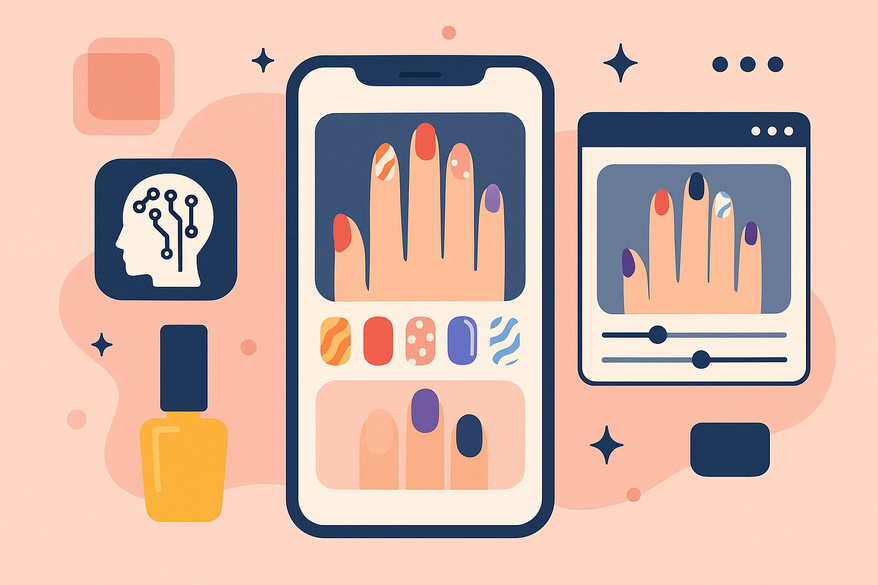
- AR overlays preview designs on live camera feeds or uploaded photos.
- Realistic rendering of color fidelity, texture, and light reflections.
- Fine-tune placement of decals, glitter, and gemstones before you commit.
For more on integrating professional guidance with AI previews, see Virtual Manicure Consultations and AI-Driven Nail Art Design.
3. Customizations
- Adjustable color palettes: pastel, metallic, gradient, neon.
- Pattern libraries: florals, geometrics, abstract strokes.
- Skin-tone matching ensures designs complement your natural hues.
- 3D embellishments and virtual accessories for trend-setting looks.
4. Libraries & Sharing
- Access hundreds of trending templates across categories (seasonal, mood, minimalist).
- Save favorites in a personal collection for quick recall.
- Export HD mockups to share with salon artists or post on social media.
How the AI Nail Art Design App Works
- Input
- Upload a clear photo of your hand or nails.
- Or type a prompt, e.g., “cute pastel nails” or “glitter ombre.”
- Analysis
- Image-recognition algorithms map cuticles, nail boundaries, and skin tone.
- Neural networks extract geometry data—length, curvature, width—for each nail.
- Generation
- GAN models trained on diverse nail art datasets produce multiple design options.
- AI factors in past user preferences for a tailored experience.
- Preview & Edit
- AR module overlays virtual manicure in real time.
- Adjust hue, contrast, glitter intensity, or 3D decals before finalizing.
- Export
- Save HD mockups as JPEG or PNG.
- Share design files—PDFs or image links—with your salon or on social platforms.
Choosing the Right AI Nail Art Design App
When selecting the best app, consider UI intuitiveness, library size, update frequency, AR accuracy, skin-tone matching, and trial tiers. Compare top recommendations like Nail AI, NailedBy, AI Nail Art Generator, and Fotor AI Nail Generator to find your perfect fit.
Future Trends and Innovations in AI Nail Art
- AR & 3D Holographic Effects—Mixed-reality nail bars and tactile virtual extensions.
- Mood-Based Personalization—Wearable biometrics generating emotional state-driven palettes.
- VR Collaboration & E-Commerce Tie-Ins—Live co-design sessions and in-app product purchases.
- Continuous GAN Improvements—Hyper-realistic textures on-device and smoother style blending.
Learn how precise color matching is evolving with AI and AR in Digital Nail Polish Color Matching.
Conclusion
We’ve defined the AI nail art design app as a fusion of GAN-powered creativity, image-recognition precision, and AR-driven previews. We traced nail art’s journey from hand-painted salon motifs to AI-generated, on-demand designs, detailed core features, benefits, tech steps, selection criteria, and peeked into the future of holographic effects, mood-based palettes, and VR collaborations.
AI is revolutionizing nail art, making professional-level designs accessible to everyone. Download an AI nail art design app today, experiment with virtual try-ons, and share your creations. Unlock limitless inspiration and transform your nail art experience.
For AI-powered beauty insights across looksmaxxing, dreams, symbolism, and more, try Maxx Report.

FAQ
- What is an AI nail art design app? An AI nail art design app uses artificial intelligence technologies like GANs, image recognition, and AR to generate and preview personalized nail art designs instantly.
- How accurate are virtual try-ons? Virtual try-ons leverage advanced AR overlays and color-matching algorithms to simulate realistic textures, lighting, and skin-tone compatibility for accurate previews.
- Can I customize designs manually? Yes, most apps allow you to adjust color palettes, patterns, and 3D embellishments to fine-tune each design before saving or sharing.
- Are these apps suitable for professionals? Absolutely. With HD mockups, export options, and extensive libraries of templates, salon professionals can streamline consultations and client presentations.