How AI Nail Art Design Apps Are Transforming Your Manicure
Explore how AI nail art design apps use machine learning, computer vision, and AR to personalize and streamline your manicure experience.

Estimated reading time: 6 minutes
Key Takeaways
- Personalization at your fingertips: AI and AR enable live, realistic previews of custom nail designs that suit your shape and skin tone.
- Efficiency boosted: Generate multiple mockups in seconds, reducing salon consultation time and DIY trial errors.
- Creative inspiration: Machine learning suggests unique color combinations, textures, and motifs drawn from thousands of images.
- Future-ready features: Expect hyper-personalization, advanced AR realism, 3D printed press-ons, and smart polishes triggered by AI.
Table of Contents
- Overview of AI Nail Art Design App, AI Era, and AR Nail Art
- How AI Creates Personalized Designs
- Benefits for Consumers and Professionals
- Key Features of AI Nail Art Design App
- How AI Nail Art Design App Works Step-by-Step
- Advantages Over Traditional Methods
- Use Cases
- Tips for Success
- Future Trends
- Conclusion
Section 1: Overview of AI Nail Art Design App, AI Era, and AR Nail Art
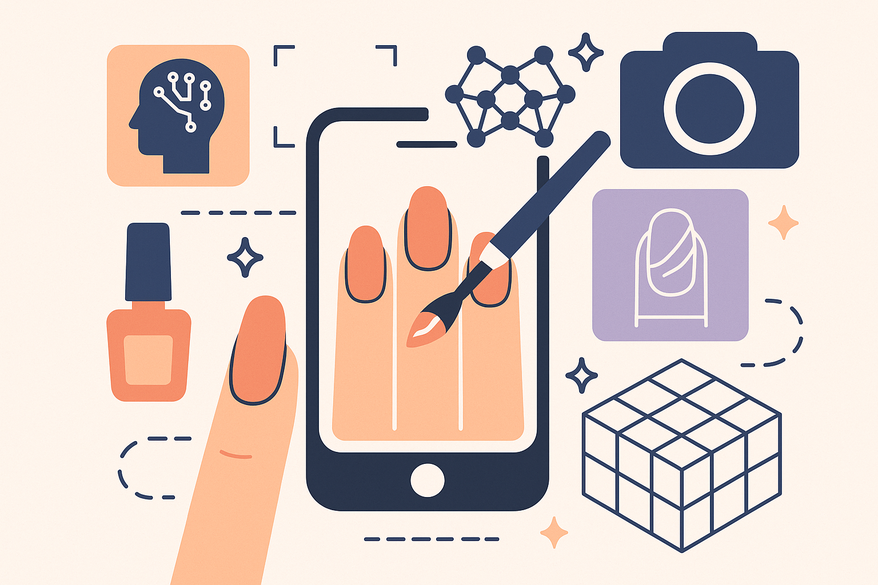
Manicures should be fun, not frustrating. You no longer need to adapt static photos that clash with your nail shape or skin tone. An AI nail art design app applies machine learning, computer vision, and generative models to craft personalized designs in seconds, complete with virtual try-ons via AR.
Traditional Era
– Hand-painted designs from magazines and sample wheels.
– Inspiration via salon portfolios; results depended on technician skill.
Digital & Social Era
– Instagram, Pinterest, TikTok exploded with nail looks.
– Screenshots created translation challenges for nail shape and skin tone.
Tech-Assisted Catalogs
– Basic nail shape visualizers on tablets in salons.
– Static images, limited customization.
AI Era: AI Nail Art Design App, AR Nail Art
– On-demand generation of designs via text or image prompts.
– Computer vision analyzes your nail shape, length, and skin tone.
– Generative models craft patterns and match colors realistically.
– Augmented reality overlays designs on your live camera feed.
How AI Creates Personalized Designs
- Computer vision detects nail edges, cuticle lines, and skin tone.
- Machine learning & GANs learn from thousands of images to generate textures, gradients, and motifs.
- User profiles track past styles and saved designs for tailored suggestions.
Benefits for Consumers and Professionals
Consumers:
- Realistic previews reduce “nail regret.”
- Endless style choices without wasted polish.
- Step-by-step guides improve DIY success.
Professionals:
- Faster consultations with instant mockups.
- Remote previews let clients decide before appointments.
- Trend-driven inventory planning boosts salon efficiency.
Section 2: Key Features of AI Nail Art Design App
- Real-Time Design Suggestions & Customization
– Text prompts: e.g., “tropical sunset ombré with gold flakes.”
– Image-based inspiration: extract color palettes from user photos.
– Instant variations: glossy, matte, chrome finishes; almond, coffin, stiletto shapes; simple to intricate patterns. - User Interface and AR Preview
– Simple onboarding: one-click hand photo capture with guided nail detection.
– Clean layout: tabs for Create, Try On, Trends, Saved Designs.
– One-tap AR previews and social sharing. - Built-In Trends, Seasons & Preferences
– Trend tracking: scans social media and runway for palettes and viral motifs.
– Personalization: adapts to saved favorites, nail shape, and finish style.
Section 3: How AI Nail Art Design App Works Step-by-Step
- Input: Photo & Preferences
– Upload a clear hand photo under natural light.
– Choose nail shape, length, base color family, and occasion or mood.
– Select input method: text prompt, image upload, or template. - AI Processing
– Computer vision for nail detection and color calibration.
– Generative AI (GANs/diffusion) crafts cohesive designs across all nails.
– Recommendation engine ranks variations by style history and current trends. - AR Preview & Editing
– Virtual try-on: live or static AR overlay of selected design.
– Fine-tuning: adjust color intensity, pattern scale, accent nails, add digital gems or foil.
– Save, share, or export designs to send to your nail tech or booking platform.
Section 4: Advantages Over Traditional Methods
- Time-Saving
– Generate 5–10 custom mockups in seconds vs. lengthy salon consultations.
– Fewer in-chair adjustments thanks to realistic previews. - Cost-Effectiveness
– Virtually experiment without buying supplies.
– Salons optimize stock based on AI-driven demand data. - Enhanced Creativity
– AI-suggested color combinations and motifs you wouldn’t think of on your own.
– Swipe between minimal and bold interpretations instantly.
Section 5: Use Cases
Personal Use:
- At-home experimentation with bold trends like 3D charms or aura nails.
- Event planning: match nails to wedding dresses or festival outfits.
- Style journaling: track past designs to refine your personal look.
Professional Use:
- Client consultations: instant mockups on each client’s hand.
- Portfolio enhancement: AI-generated concept boards for seasonal collections.
- Education & training: learn color pairing and design structure via AI outputs.
Section 6: Tips for Success
- Nail Preparation
– Clean, shape, and push back cuticles before your salon or DIY session.
– Use designs that match your actual nail length and shape. - Improve Photo Quality
– Natural, indirect lighting; plain background; steady hand; use rear camera.
– Be specific: “soft baby pink almond nails with white micro-florals.”
– Include style restrictions like “no glitter” or “office-safe colors.” - Experiment Strategically
– Start with finish swaps (matte vs. glossy) and accent nail tests.
– Save your top 3–5 designs and compare side-by-side.
Section 7: Future Trends
- Advanced AR Realism
– Ultra-realistic overlays with accurate shine, reflection, and 3D embellishments. - Hyper-Personalization
– AI that adjusts recommendations by calendar events, seasons, or mood from wearables. - 3D Printing & Smart Polish
– Nail printers producing AI-generated designs on press-ons.
– Smart gels that change color based on UV, temperature, or AI triggers. - Collaborative Design Boards
– Real-time co-editing between clients and techs; seamless links to salon management and e-commerce.
Conclusion
An AI nail art design app uses machine learning, computer vision, generative AI, and AR to make nail art more personalized, efficient, and fun. It saves time, cuts costs, and unlocks limitless creativity with realistic previews.
Ready to revolutionize your manicure? Download an AI nail art design app today. Generate custom designs for your next appointment and share your favorite looks on social media or with your nail tech. Enjoy a smarter, more confident manicure experience!
For more on AI-powered nail creativity, see AI Nail Art Design App Article and learn about Digital Nail Polish Color Matching.
Curious how your nail art style fits your overall look? Check out the new insights in the Maxx Report app for personalized ratings and style analysis.
La elección de una camiseta deportiva suele depender del ajuste, el tejido y las preferencias personales de cada aficionado. Una referencia como equipacion del Paris Saint-Germain puede servir para revisar opciones generales sin depender de una sola característica. La decisión final resulta más clara cuando se comparan datos concretos y no solo la apariencia general.

FAQ
- What devices are supported?
Most AI nail art apps run on modern iOS and Android devices with a camera and AR capabilities. Some also offer web versions for desktop users. - How accurate are virtual try-ons?
Accuracy varies by app, but top solutions use advanced computer vision and color calibration to deliver lifelike previews that minimize nail regret. - Can I export or share designs?
Yes, you can save, share directly on social media, or export designs to send to your nail technician or online booking platform. - Is there a subscription fee?
Many apps offer free basic features with optional premium plans for advanced customization, trend libraries, and high-resolution exports.