A Complete Guide to AI Nail Art Design Apps
Discover how AI nail art design apps use machine learning and AR to create personalized and stunning nail designs quickly and easily.

Estimated reading time: 9 minutes
Key Takeaways
- AI-driven personalization: transforms vague ideas into custom manicure designs at your fingertips.
- Virtual try-on technology: realistic AR previews remove guesswork before application.
- Seamless workflow: from style quizzes to step-by-step tutorials, it streamlines DIY and salon visits.
- Trend integration: staying on top of viral styles and seasonal palettes enhances creativity.
Table of Contents
- Background on Nail Art and AI
- What Is an AI Nail Art Design App?
- Key Features and Benefits
- How It Works
- User Experience & Practical Tips
- Future Trends and Developments
- Conclusion
Section 1: Background on Nail Art and AI Nail Art Design App
- Traditional manicure basics
- Classic polish colors and French tips dominated salons for decades
- Nail shape options included square, round, and oval
- Rise of complex techniques
- Gel and dip powders enabled ombré, marbling, and 3D charms
- Stamping plates and nail wraps made detailed art accessible
- Social media virality
- Instagram and TikTok turned nail art into a global trend machine
- Hashtags like #nailsonfleek and #unicornnails fuel rapid design cycles
- Introduction to artificial intelligence
- AI: computer systems performing tasks requiring human intelligence
- Core functions: image recognition, natural language processing, content generation
- AI in beauty today
- Virtual makeup try-ons and shade matching
- Personalized skincare powered by machine learning
- Connecting nail art and AI
- Complex designs outpaced manual execution, driving demand for tech solutions
- AI nail art design app emerges to bridge creativity and practicality
Section 2: What Is an AI Nail Art Design App?
Definition and core functions:
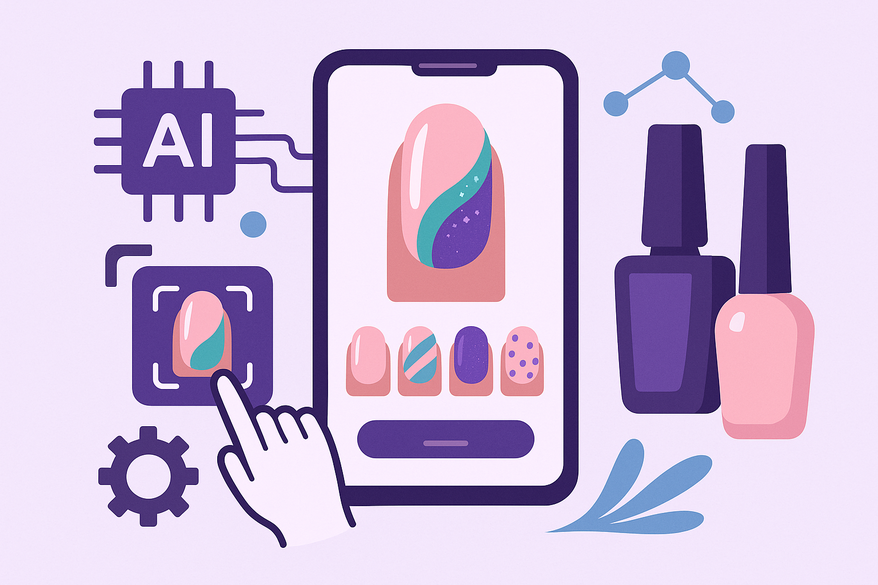
- Analyzes your nail shape and length via photo or live camera using computer vision
- Collects user preferences (style, mood, occasion)
- Uses machine learning recommendation engines and generative AI models to create custom designs
- Provides virtual try-ons through AR or realistic mockups
- Offers step-by-step guidance for recreating designs
Typical design options:
- Patterns: marble, chrome, holographic, glitter
- Styles: minimalist, floral, geometric, abstract
- Shapes: coffin, almond, stiletto, oval
- Color palettes: custom swatches, skin-tone guided suggestions
For precise shade coordination and AR polish previews, check out Digital Nail Polish Color Matching: How AI and AR Are Revolutionizing Nail Art Design.
Section 3: Key Features and Benefits of AI Nail Art Design App
- Personalized design recommendations
Style quizzes, AI-driven “For You” feeds, and mood selectors tailor each suggestion to your taste. - Virtual try-on (AR previews & photo overlays)
Live camera overlays with realistic gloss, matte, or metallic finishes let you preview designs in real time. - Text/voice prompt generation
Describe “long almond pastel gradient with white florals,” and AI delivers multiple options instantly. - Advanced customization tools
Drag-and-drop stripes, decals, and gems; adjust hue, saturation, brightness; scale patterns to your liking. - Step-by-step tutorials and exportable design cards
Layer breakdowns and material lists guide you through base coat to top coat, for DIY or salon use.
Consumer benefits: Enhanced creativity, zero polish waste, risk-free experimentation, and accessible for all skill levels.
Professional benefits: Streamlined consultations, trend monitoring, portfolio expansion, and faster service delivery.
Section 4: How an AI Nail Art Design App Works
Technical architecture overview:
Front-end UI: camera view, design gallery, customization panels, prompt input
Back-end AI: GAN/diffusion image generator, recommendation engine, AR rendering engine
Step-by-step user workflow:
- Download the app and grant camera/photo permissions
- Profile setup: nail length, shape, skin tone, style preferences
- Capture or upload a clear hand photo (even lighting, plain background)
- Choose a preset theme or enter a custom prompt
- AI generates multiple mockups within seconds
- Customize colors, patterns, accent nails, finishes
- Virtual try-on via AR; inspect from different angles
- Save, share, or export design for salon or personal use
AI refines your feed by tracking views, saves, shares, and by analyzing seasonal and regional trends.
Section 5: User Experience and Practical Tips
Real-world insights:
Case study: Users bring AI-generated designs to salons for faster, more accurate results.
Influencer anecdote: Comparing AI mockups versus real-life recreations for content.
Tips for best results:
- Use high-quality hand photos: even lighting, neutral background
- Craft clear prompts combining style, color, finish
- Experiment with mood presets and seasonal filters
- Build a library of saved designs tagged by occasion
- Share designs with friends or nail techs for feedback
- Virtually try bold shapes and colors before committing
Section 6: Future Trends and Developments
- Advancements in AR realism & 3D texture rendering
- Real-time co-creation with nail professionals via shared workspaces
- Deeper personalization using nail health scanning
- Integrated product recommendations with direct purchase links
- Cross-platform styling for nails, makeup, and outfits
- Voice-first design input and community galleries
Conclusion
An AI nail art design app fuses creativity and technology to transform how we choose, preview, and recreate nail art. These apps leverage computer vision, machine learning, generative AI, and AR to:
- Analyze your nail shape and style preferences
- Generate personalized designs in seconds
- Offer realistic virtual try-ons and customization tools
- Provide tutorials and product details for DIY or salon use
By demystifying this technology, we see how an AI nail art design app satisfies your search intent for quick, precise, and inspiring manicure solutions. Ready to explore? Download an AI nail art design app today and unlock a world of personalized nail creativity.
For a holistic view of your glow-up journey, consider checking out Maxx Report, the AI-powered glow-up and looksmaxx app that offers ratings, transformation insights, and more.

FAQ
- Which platforms support AI nail art design apps? Most apps are available on iOS and Android, with some offering web-based versions.
- Do I need professional skills to use these apps? No. Intuitive interfaces and step-by-step tutorials make them accessible to all skill levels.
- Can I export designs for salon use? Yes. Generate exportable design cards complete with layer breakdowns and material lists.
- How accurate are AR virtual try-ons? Accuracy varies, but realistic gloss, matte, and metallic finishes deliver reliable previews.
- Are there in-app purchases? Many apps offer basic features for free, with premium design packs and AR tools available via subscription or one-time purchase.