Bearded App: Guide to AI Beard Filters, Editors & Try-Ons
Explore the best bearded app options with AI beard filters, photo editing, beard removal, try-ons, and dating features for bearded men and lovers.
Estimated reading time: 15 min
Key Takeaways
- Bearded apps offer AI-powered beard filters, photo editing, and virtual try-ons to help users explore facial hair styles with varying degrees of precision and realism.
- Many apps include beard removal or clean-shaven photo editing features alongside beard generators, often using AI techniques to recreate natural skin textures.
- There are beard-focused dating apps catering to bearded men and beard admirers, fostering niche communities that celebrate facial hair culture.
- Free beard apps often have watermark and quality limitations; paid options may unlock additional features, higher resolution outputs, and enhanced customization tools.
- Privacy policies and data security are important when using beard apps that scan or analyze your face; choosing apps with transparent policies and local processing is advisable.
Table of Contents
- Section 1: Understanding Bearded Apps and Their Features
- Section 2: AI Beard Generators and Virtual Try-Ons
- Section 3: Beard Photo Editing and Removal Tools
- Section 4: Beard-Focused Dating Apps and Communities
- Section 5: Comparing Free vs Paid Beard Apps
- Section 6: Privacy, Watermarks, and Output Quality Considerations
Section 1: Understanding Bearded Apps and Their Features
What is a Bearded App?
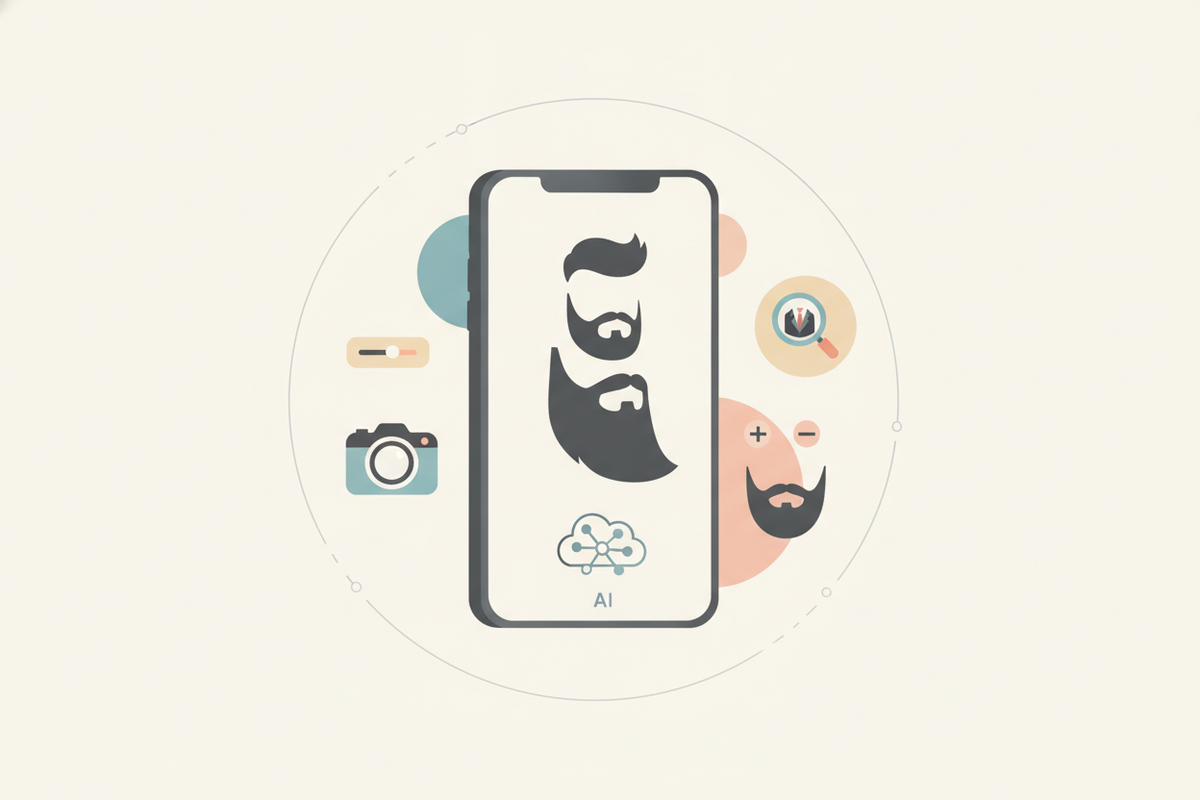
A bearded app is a specialized mobile or desktop application designed to digitally simulate, edit, or enhance facial hair styles using AI and image processing technologies. These apps cater to a broad audience—from men considering growing or changing their beard style without the physical commitment, to beard enthusiasts seeking inspiration, style advice, or community engagement. By enabling users to virtually try different beard looks, these apps aim to reduce guesswork and provide personalized grooming insights.
Common Features Across Bearded Apps
- Beard Filters: These include both real-time camera filters and photo-based overlays that add various beard styles, ranging from stubble and goatees to full beards or designer facial hair, onto your face. Filters may adjust dynamically to facial expressions and head movements for a more natural effect.
- Beard Photo Editors: Beyond adding beards, these tools allow users to alter beard characteristics such as color (including non-traditional hues), thickness, density, and shape. Some editors also enable manual brush adjustments and layering to create custom styles.
- Beard Removal: Some AI algorithms can remove or reduce beard presence in photos, simulating a clean-shaven appearance by reconstructing skin textures and contours beneath facial hair.
- Virtual Try-Ons: Using augmented reality (AR) technology, these features provide an interactive experience where users preview various beard styles live through their device’s camera, with adjustments to fit face shape and lighting conditions.
- Personalized Grooming Recommendations: Some apps analyze facial features such as bone structure, hair growth patterns, and skin tone to recommend beard styles that may complement a user's unique look.
Platforms and Availability
Bearded apps are widely accessible on App Store (iOS) and Google Play Store (Android) platforms, often featuring free basic versions with optional premium upgrades. While some apps focus exclusively on facial hair styling, others integrate beard features into broader grooming, photo editing, or lifestyle suites. For example, Maxx Report combines AI-driven facial analysis with personalized grooming plans, tying beard style choices to overall aesthetic enhancement strategies sometimes referred to as looksmaxxing.
Desktop versions and web-based beard simulation tools also exist, though mobile apps dominate due to the convenience of built-in cameras and portability.
Section 2: AI Beard Generators and Virtual Try-Ons
How AI Beard Generators Work
AI beard generators typically leverage deep learning models trained on datasets of facial images featuring various beard types, colors, and styles. These models analyze key facial landmarks such as jawline, chin shape, cheekbones, and skin tone to generate beard overlays tailored to the user’s features. The process often involves:
- Face Detection: Identifying the face and key points for placement of facial hair.
- Style Rendering: Applying 3D or 2D beard models that conform to the contours and movements of the face.
- Color and Texture Matching: Adjusting beard color and texture to blend with skin tone and lighting.
- Dynamic Adaptation: For live virtual try-ons, updating beard appearance to match head movements and expressions.
This technology allows for customizable and realistic beard simulations, improving upon earlier static photo overlays.
Benefits of Virtual Beard Try-Ons
- Risk-Free Experimentation: Users can try on various beard styles, from subtle stubble to full beards, without the time, effort, or commitment of actual grooming.
- Instant Visual Feedback: Real-time AR try-ons provide immediate previews under different lighting conditions, helping users assess how a beard style complements their facial features and complexion.
- Style Inspiration: Virtual try-ons expose users to different beard trends, enabling informed style decisions aligned with personal taste and lifestyle.
- Social Sharing: Many apps allow sharing try-on results directly to social media or messaging platforms for feedback from friends or grooming professionals.
Popular AI Beard Try-On Apps
Several apps are known for their AI beard generation and virtual try-on capabilities, including:
- FaceApp – Known for its beard filters and aging effects, FaceApp uses neural networks for beard application and removal with skin reconstruction.
- Beard Booth Studio – Offers a variety of beard and mustache overlays, with multiple styles and manual adjustments for size and placement.
- Maxx Report – Provides facial analysis, including beard suitability scores, grooming advice, and personalized style recommendations based on biometric data.

Section 3: Beard Photo Editing and Removal Tools
Editing Beard Photos
Beard photo editors allow users to fine-tune beard appearance after the photo is taken, offering options such as:
- Changing Beard Color or Tint: Users can switch between natural hair colors or experiment with unconventional shades for creative looks.
- Adjusting Beard Thickness and Fullness: Tools let users increase or decrease beard density to simulate grooming outcomes.
- Trimming or Reshaping Beard Outline: Shape editing tools allow contouring of beard edges to test different styles.
- Adding Highlights or Shadows: For enhanced dimension and realism, users can apply lighting effects mimicking natural hair texture.
Many apps include preset beard styles and filters for quick application, while some offer manual brush-based editing for custom looks.
Beard Removal or Clean-Shaven Edits
Some AI-powered apps use generative adversarial networks (GANs) and neural network inpainting techniques to remove beards from photos and reconstruct the underlying skin realistically. This editing can be useful for:
- Visualizing a Clean-Shaven Look: Men curious about their appearance without facial hair can preview potential changes before shaving.
- Professional Profile Pictures: Creating clean-shaven images appropriate for corporate or formal settings without actual grooming.
- Switching Between Beard/No-Beard Styles: Users can toggle between looks for social media posts, modeling portfolios, or personal experimentation.
Apps like FaceApp are noted for this feature by blending skin tones and textures, often providing realistic results.
Tips for Best Editing Results
- Use High-Quality, Well-Lit Photos: Frontal face shots with even lighting help AI algorithms detect facial details accurately.
- Choose Apps Supporting High-Resolution Exports: For professional or print use, high-res images maintain sharpness after editing.
- Adjust Lighting and Color Balance Post-Edit: Minor tweaks to brightness, contrast, or saturation help blend beard overlays or reconstructed skin naturally.
- Preview Edits on Multiple Backgrounds: This helps ensure beard edits look consistent across different environments and lighting conditions.
Section 4: Beard-Focused Dating Apps and Communities
What Are Beard Dating Apps?
Beard dating apps are niche social platforms that cater specifically to men with facial hair and individuals attracted to beards. These apps emphasize beard styles as an identity marker and facilitate connections based on shared grooming interests and lifestyle preferences. By focusing on this demographic, beard dating apps foster communities around beard culture, grooming habits, and personal expression.
Popular Beard Dating Apps
- Bristlr: One of the earlier beard-centric dating apps, Bristlr connects bearded men and beard admirers. It offers swipe-based matching, profile customization with beard style tags, and community features such as beard care tips and events. Availability may vary by region and over time.
- Beard Love: This platform combines dating with social networking for beard enthusiasts, featuring forums, photo sharing, and beard competitions alongside matchmaking.
- Facial Hair Friendly Forums and Social Networks: While not traditional dating apps, online communities such as r/beards on Reddit, Beardbrand forums, and specialized Facebook groups serve as social hubs for beard lovers, offering advice, meetups, and sometimes matchmaking.
Why Use Beard Dating Apps?
- Find Partners Who Appreciate or Share Your Grooming Style: These apps increase the likelihood of meeting people who value facial hair as part of personal identity.
- Connect with Like-Minded People: Engage in conversations about beard care, styling techniques, and lifestyle choices in a supportive community.
- Showcase Your Beard as a Style and Identity Feature: Profiles emphasize beard photos and descriptions, allowing users to express themselves beyond conventional dating platforms.
- Access Beard-Related Events and Content: Many apps promote beard festivals, grooming workshops, and product recommendations to deepen user engagement.
Section 5: Comparing Free vs Paid Beard Apps
Free Beard Apps
Free beard apps typically provide access to basic features suitable for casual users who want to experiment without financial commitment. Common characteristics include:
- Access to a limited selection of beard styles and filters, often covering popular or generic looks.
- Photo exports that may include visible watermarks or brand logos.
- Advertisements embedded in the app interface, which may interrupt user experience.
- Basic editing tools with fewer customization options.
- Lower output resolution, which can affect image sharpness and print quality.
These limitations make free apps suitable for occasional use, quick trials, or social media sharing when high fidelity is not critical.
Paid Beard Apps and Premium Features
Paid versions or subscription plans often unlock enhanced functionality designed for serious grooming enthusiasts, professionals, or influencers. Benefits may include:
- High-Resolution, Watermark-Free Images: Useful for professional portfolios, marketing materials, or print media.
- Access to Exclusive Beard Styles: Including trendy, celebrity-inspired, or customizable looks unavailable in free tiers.
- Advanced Editing Tools: Such as multi-layer editing, color grading, texture adjustments, and manual brush controls.
- Ad-Free Experience: Allows uninterrupted usage and faster app responsiveness.
- Priority Customer Support and Regular Updates: Helps ensure access to the latest features and bug fixes.
- Additional Features: Some premium apps include grooming tutorials, product recommendations, or integration with physical grooming devices.
Choosing the Right Option
Selection depends on your goals:
- Casual Users: Free apps may suffice for occasional style experiments or fun photo edits.
- Enthusiasts and Professionals: Investing in paid apps can provide superior image quality, customization, and accuracy for grooming planning, social media branding, or client consultations.
- Trial Periods: Some paid apps offer free trials or limited-time access to premium features—testing these can help evaluate value before purchase.
Before upgrading, review user ratings, feature lists, and privacy policies to ensure the app aligns with your needs and values.
Section 6: Privacy, Watermarks, and Output Quality Considerations
Privacy and Data Security
Since beard apps involve uploading or scanning facial images—sensitive personal data—privacy and security are important. Consider the following when choosing an app:
- Review Privacy Policies Thoroughly: Understand how your photos and data are stored, whether they are shared with third parties, and how long they are retained.
- Prefer Local Processing Apps: Apps that process images entirely on your device reduce risks associated with data transmission and storage on external servers.
- Encrypted Data Transfers: If images must be uploaded, ensure the app uses secure transmission protocols (HTTPS/TLS).
- Minimal Permissions: Avoid apps requiring access to unrelated data such as contacts or location, which could pose privacy risks.
- Data Deletion Options: Check if the app allows you to delete your uploaded data or account at any time.
Watermarks and Branding
Watermarks are a common method for free apps to promote their brand and limit unauthorized use of images. While watermarks can be unobtrusive, they may detract from the professional appearance of photos. Paid versions usually remove watermarks and may offer branding customization options, important for influencers or businesses using beard images in marketing.
Output Quality and Format
When selecting a beard app, output quality is a key consideration, especially for professional use or printing. Look for apps that support:
- High-Resolution Exports: Minimum of 1080p resolution is recommended for social media; higher resolutions may be preferred for print.
- Multiple File Formats: JPEG and PNG are standard; PNG with transparent backgrounds can be useful for graphic design or layering.
- Customization of Lighting and Shadows: To help ensure the beard appears natural and blends with the original photo under varied conditions.
- Batch Processing: Some advanced apps offer batch editing/exporting for users managing multiple photos.
For a comprehensive, AI-driven facial analysis including grooming and beard suitability, Maxx Report provides detailed insights that can guide your beard style choices and overall looksmaxxing strategy, combining biometric data with style trends.
Conclusion
Bearded apps are evolving tools that combine artificial intelligence, augmented reality, and photo editing to help users experiment with, perfect, and showcase facial hair styles. Whether you want to virtually try on new beard styles, edit existing photos with control, connect within beard-focused dating communities, or analyze your grooming potential using biometric data, there are apps tailored to various needs.
Free versions provide accessible entry points for casual users, though they often limit image quality, style options, and include watermarks or ads. Paid apps may unlock advanced features, high-resolution outputs, and enhanced customization, making them suitable for grooming professionals, influencers, or anyone seeking detailed style planning.
Privacy and data security should be prioritized when using beard apps, especially those requiring facial scans or photo uploads. Opt for apps with transparent policies, local image processing, and secure data handling.
For a personalized grooming experience, including beard style recommendations integrated with facial analysis, explore the AI-powered options at Maxx Report. Its detailed reports help you understand your face's unique traits and guide your grooming journey effectively.
FAQ
Q: What is the best beard app for Android or iPhone?
A: The best beard app depends on your specific needs. Popular choices include FaceApp for AI-powered filters and beard removal, Beard Booth Studio for detailed beard editing and virtual try-ons, and Maxx Report for facial and grooming analysis. Paid apps generally provide higher quality images and a broader selection of styles.
Q: How do beard filter apps work?
A: Beard filter apps use artificial intelligence and augmented reality to detect facial features, including jawline, chin, and skin tone, then overlay beard styles in real time or on photos. They adapt to face shape and lighting conditions for a natural look.
Q: Can I remove a beard from a photo with an app?
A: Yes, some AI-powered apps like FaceApp include beard removal features that simulate a clean-shaven look by digitally reconstructing skin texture and facial contours beneath the beard, often achieving realistic results.
Q: Is there an app to try on different beard styles?
A: Many apps provide virtual beard try-ons, including FaceApp, Beard Booth Studio, and Maxx Report. These apps let you preview multiple beard styles live through your camera or on existing photos, aiding grooming decisions.
Q: What is Bristlr and is it still available?
A: Bristlr is a beard-focused dating app connecting bearded men with beard admirers. While it was a popular niche platform, its availability varies by region and may change over time; checking your local app store is recommended.
Q: Which beard app is free and has no watermark?
A: Most free beard apps include watermarks to promote their brand or encourage upgrading. Some may offer limited watermark-free trials or low-resolution exports, but to completely avoid watermarks, purchasing a paid version is usually necessary.