Unlocking Salon-Quality Manicures at Home with an AI Nail Art Design App
Discover how an AI nail art design app lets you create, personalize, and preview salon-quality manicures at home with ease and innovation.
Estimated reading time: 6 minutes
Key Takeaways
- Virtual Previews: AI nail art apps let you craft and preview personalized manicure designs on your own hands, risk-free.
- Cutting-Edge Tech: Core technologies include machine learning, computer vision, and generative models to ensure realistic overlays.
- Rich Feature Set: Enjoy text-to-design prompts, trend forecasting, customization tools, and easy social sharing.
- Dual Appeal: Benefits both beauty enthusiasts and salon professionals by streamlining inspiration and client approvals.
- Future Focus: Expect ultra-realistic rendering, mixed-reality demos, and salon-system integrations on the horizon.
Table of Contents
- What Is an AI Nail Art Design App?
- How AI Technology Works in Nail Art Apps
- Key Features of an AI Nail Art Design App
- Benefits for Consumers and Professionals
- Real-World Examples & Case Studies
- Step-by-Step Guide to Using an AI Nail Art Design App
- Future Trends & Innovations
- Maxx Report Integration
- Conclusion & Additional Resources
- FAQ
What Is an AI Nail Art Design App?
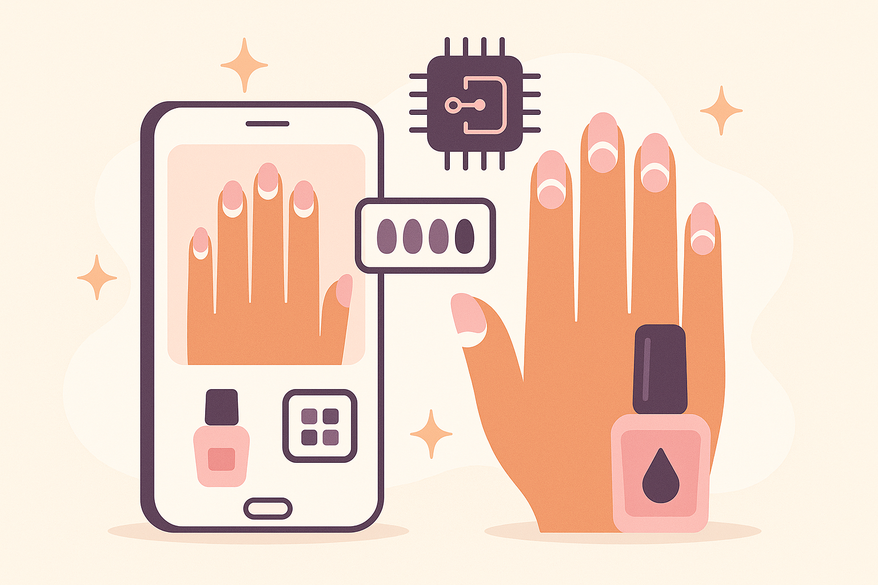
An AI nail art design app is a digital tool that leverages artificial intelligence to craft, personalize, and virtually overlay manicure concepts. These apps accelerate inspiration-to-execution by blending on-hand try-on, pattern recognition, and design generation.
- Custom Designs from Prompts: Generate floral, geometric, or abstract patterns from text or mood inputs.
- Virtual Try-On: Real-time overlays on live camera feeds or uploaded hand photos.
- Personalization: Calibrate nail shape, length, finish (matte, glossy, metallic), and color palettes tailored to your skin tone.
How AI Technology Works in Nail Art Apps
Under the hood, these apps combine:
- Machine Learning: Models trained on thousands of nail art images to learn style patterns.
- Computer Vision: Detects hand geometry, nail beds, and skin tone for accurate overlays.
- Generative Models (GANs): Produce novel design variations from text or image prompts.
Typical workflow:
- Input: Text prompt, mood selector, or photo upload.
- Processing: AI maps nail shape/skin tone and crafts design options.
- Output: Swipe through overlays in live camera or static images, tweak and save.
Key Features of an AI Nail Art Design App
- Virtual Try-On: Rotate and zoom on live or uploaded hand photos for multi-angle previews.
- Design Generation: Text-to-nail-art prompts like “sunset ombré” or “minimal white lines.”
- Trend Forecasting: AI analyzes social-media hashtags and runway shows to suggest up-and-coming motifs.
- Customization Tools: Layer decals, gradients, textures, and hand-drawn elements without physical tools.
- Export & Sharing: Download high-res PNG/JPEG for salon reference or post directly to Instagram and Pinterest.
Benefits for Consumers and Professionals
Beauty Enthusiasts: Risk-free experimentation with bold colors before buying polish and instant inspiration when creativity stalls.
Salon Artists: Enhanced client communication with visual references and streamlined concept approval by generating dozens of curated options in seconds.
Real-World Examples & Case Studies
- AI Nail Designs Lab – Professional-quality design generation, trend forecasting, instant downloads.
- Perfect Corp AI Try-On – Hyper-realistic visualization with inclusive skin-tone support.
- Artinails Workflow – Prompt or sketch input, adjustable overlays, client collaboration.
For an in-depth walkthrough and feature comparison, visit our guide.
Step-by-Step Guide to Using an AI Nail Art Design App
- Install or open the app and register an account if needed.
- Choose input: text prompt, mood selector, or upload a hand photo.
- Set preferences: nail shape, length, skin tone, finish type.
- Tap “Create” and wait under 30 seconds for design options.
- Use live camera or uploaded image to preview and refine designs.
- Save or download high-res images for personal use or salon reference.
Beginner tip: Start with simple prompts like “glossy pastel tips” and adjust one variable at a time to learn how settings affect the outcome.
Future Trends & Innovations
- Ultra-realistic rendering of nail and skin textures with advanced computer vision.
- Profile-based personalization that learns your style habits over time.
- Mixed-reality demos of 3D studs, decals, and sculpted designs.
- Integration with salon booking and POS systems for in-app scheduling.
Maxx Report Integration
For a holistic beauty-tech experience, you can also analyze nail health metrics, color harmony, and overall glow-up progress in Maxx Report. It delivers AI-powered insights across looks, transformations, dreams, and more.

Conclusion & Additional Resources
An AI nail art design app accelerates your path from idea to salon-quality manicure, offering personalized, photorealistic previews in seconds. Whether you’re an at-home trendsetter or a busy salon professional, these tools unlock endless creative possibilities.
FAQ
- What exactly is an AI nail art design app?
An AI nail art design app uses machine learning and computer vision to generate and preview manicure designs virtually, letting you experiment without polish.
- How accurate is the virtual try-on feature?
Most apps offer high-precision overlays by analyzing hand geometry and skin tone, though lighting and camera quality can affect realism.
- Do these apps cost anything to use?
Many apps offer free basic features with optional premium subscriptions for advanced designs, high-res downloads, and trend forecasting.
- Can I share my AI-generated nail designs?
Absolutely! Export high-resolution PNGs or JPEGs and post directly to Instagram, Pinterest, or share with clients.
- What's next for AI nail art apps?
Expect ultra-realistic rendering, mixed-reality demos of 3D nail elements, and salon booking integrations in the near future.