Revolutionizing Manicures: How an AI Nail Art Design App Transforms Nail Art
Discover how an AI nail art design app uses AI, AR, and machine learning to generate personalized nail designs, saving time and boosting creativity.

Estimated reading time: 7 minutes
Key Takeaways
- AI nail art design apps use computer vision, machine learning and generative AI to craft custom, salon-quality designs.
- Virtual try-on with AR and static overlays accelerates decision-making and sparks creativity without the mess.
- A typical five-step workflow—photo upload, AI analysis, design generation, overlay and share—streamlines your manicure process.
- Core features include unlimited AI-generated templates, advanced customization tools and trend-driven inspiration.
- Emerging trends point to real-time 3D simulations, style-learning algorithms and deeper salon integration.
Table of Contents
- Section 1: What Is an AI Nail Art Design App?
- Section 2: How It Works
- Section 3: Key Features & Benefits
- Section 4: Step-by-Step Guide to Using an App
- Section 5: Current Trends & Future Developments
- Conclusion & Call to Action
Section 1: What Is an AI Nail Art Design App?
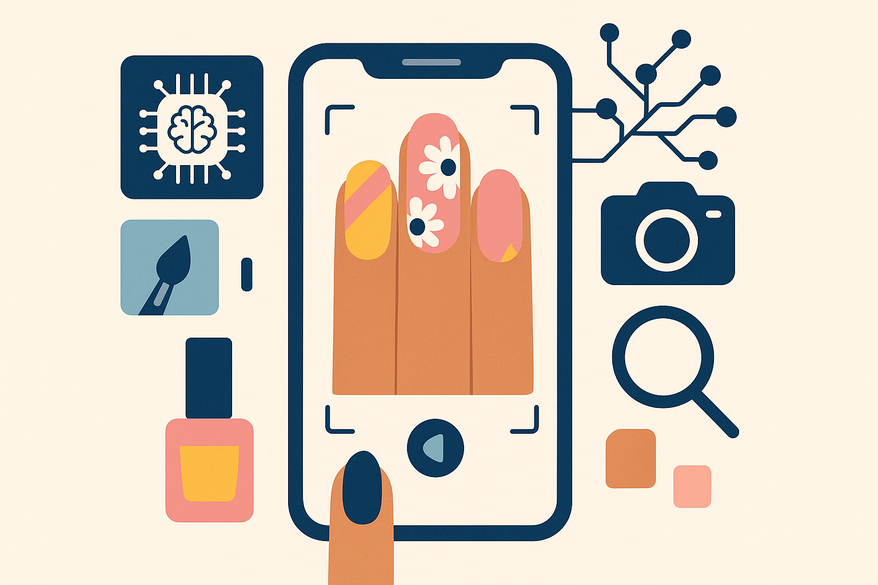
An AI nail art design app leverages computer vision to detect nail shape, size and skin tone, machine learning to analyze your style preferences, and generative AI to produce bespoke nail art. Many also integrate AR overlays for realistic virtual try-ons.
Core components:
- Image recognition → nail detection & segmentation
- Style analysis → palette and finish recommendations
- Generative AI → custom pattern and layout creation
- AR overlays → live or static virtual try-on
Evolution:
- Static galleries → manual inspiration boards
- Auto-printing hardware (e.g., UMIA) → direct nail prints
- Today’s apps → vision models, GANs and AR for full digital mockups
Section 2: How It Works
This section dives into the technology behind an AI nail art design app and outlines a typical workflow.
Subsection A: Underlying Technologies
- Computer vision models trained on thousands of nail images
- Machine learning classifiers for shape, color and style categorization
- Generative AI engines (GANs or diffusion models)
- AR SDKs for real-time overlay and motion tracking
Subsection B: Typical Workflow
- User input
Upload or snap a photo of your hand; add an optional text prompt (e.g., “chrome French tips with pastel ombré”). - AI analysis
Detect nails, adjust for lighting and skin tone, suggest palettes. - Design generation
Produce multiple AI-driven options. - Virtual try-on
Overlay designs on a static image or via live AR. - Save/share
Export images, sync to your gallery, or follow in-app salon instructions.
Section 3: Key Features & Benefits
Core Features
- Virtual Try-On – Static images and live AR previews in real time.
- AI-Generated Designs – Unlimited patterns from simple prompts.
- Customization Tools – Shape, length, color mixing, finishes and 3D accents.
- Trend-Driven Inspiration – Seasonal looks and social media-mined ideas.
- Gallery & Sharing – Save favorites and export for salon use.
Benefits
- Ease of Use – No design skills required.
- Time Savings – Instant iterations versus trial and error in a salon.
- Enhanced Creativity – AI suggests novel palettes and patterns.
- Personalization – Designs matched to your profile and history.
- Risk-Free Experimentation – Preview before you polish.
Section 4: Step-by-Step Guide to Using an AI Nail Art Design App
- Download & install from the App Store or Google Play.
- Create an account and grant camera/photo access.
- Capture the perfect photo
• Use even lighting and a plain background.
• Keep your hand flat with fingers spaced.
• Follow any in-app framing guide. - Generate & explore designs
• Upload your photo, choose AI suggestions or prompt mode.
• Wait a few seconds for your overlay. - Customize your look
• Adjust shape and length sliders.
• Switch color palettes and finishes.
• Add patterns, stickers and 3D accents. - Save, share & execute
• Save to your gallery or inspiration board.
• Share with your nail tech or friends.
• Bring the design to a salon or follow in-app instructions. - Tips for maximizing potential
• Be specific with prompts.
• Build a style profile by saving favorites.
• Browse curated categories for events.
Section 5: Current Trends & Future of AI in Nail Art
Current AI-Driven Trends
- Hyper-personalization tuned to nail shape and skin tone.
- Mainstream text-to-nail generation.
- AR-powered live try-ons with motion tracking.
- AI as a co-designer in professional salons.
- Integration with automatic nail printers (e.g., UMIA).
Future Developments
- Real-time 3D and motion-aware simulations.
- Style-learning algorithms adapting to saved and rejected designs.
- End-to-end salon integration: booking plus design pipeline.
- Smart product recommendations matched to your design.
- Advanced automation with AI-powered nail printers and robotics.
Conclusion & Call to Action
An AI nail art design app brings together computer vision, machine learning, generative AI and AR to deliver personalized, trend-aware and instantly previewable nail designs. You save time, boost creativity and eliminate risk by “trying on” dozens of looks before you polish.
Ready to transform your manicure routine? Download an AI nail art design app today, upload a clear hand photo, and experiment with text prompts and customization until you find your perfect design. For further inspiration, explore mastering AI nail art tools and learn about digital polish matching.
For a complete glow-up roadmap that assesses everything from nails to dreams and symbolism, try Maxx Report, the all-in-one looksmaxx app.

FAQ
- What is an AI nail art design app?
An app that uses computer vision, machine learning and generative AI to analyze your nails, create custom designs and let you virtually try them on. - How accurate is the virtual try-on?
Accuracy depends on photo quality and lighting, but modern AR SDKs deliver realistic overlays in real time. - Do I need any design skills?
No—the app handles pattern creation. You only need to choose prompts or templates and adjust settings. - Can I share my designs with a nail tech?
Yes—you can export high-resolution images or share directly from the app to streamline salon consultations.