Revolutionize Your Manicure with an AI Nail Art Design App
Transform your manicure routine with an AI nail art design app that uses machine learning and AR for personalized, professional-quality designs in minutes.

Estimated reading time: 5 minutes
Key Takeaways
- AI-driven design empowers users to generate and preview custom nail art.
- Integration of computer vision, ML, and AR ensures realistic and personalized results.
- Time-saving workflows reduce salon indecision with instant previews.
- Broad use cases span DIY planning, content creation, and professional salon support.
- Future innovations will enhance collaboration, sustainability, and immersive experiences.
Table of Contents
- What Is an AI Nail Art Design App?
- Key Features of an AI Nail Art Design App
- How It Works (Brief Walkthrough)
- Benefits for Users
- Practical Use Cases
- Future Trends
- Conclusion
- FAQ
What Is an AI Nail Art Design App?
These apps merge beauty tech and advanced AI to automate and personalize nail styling:
- Computer vision detects nail shape, length, curvature, cuticle lines, and skin tone from photos or live camera input.
- Generative models (GANs or diffusion models) produce original color combos, patterns, and textures from text prompts or style references.
- Machine learning learns your style preferences over time to refine future suggestions.
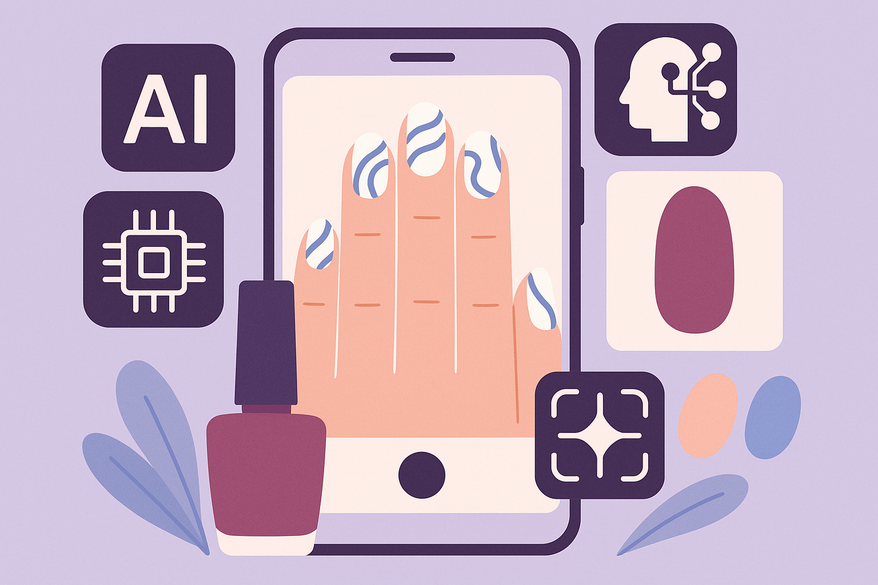
- Augmented reality (AR) overlays designs on your live camera or uploaded photos for realistic previews.
Examples like NailedBy and YouCam Nails let you virtually try on and tweak looks before you pick up a brush.
Key Features of an AI Nail Art Design App
User-Friendly Interface
- Simple onboarding: upload a hand photo or grant camera access.
- Menus for selecting nail shape, base color, finish, and design categories.
- One-tap generate, save, or share workflows.
Rich Design & Customization Options
- Text-to-design prompts: “Lavender almond nails with silver flakes and galaxy accents.”
- Style libraries: French tips, chrome, holographic, floral, geometric, 3D crystal accents.
- Fine controls: color sliders, gradient angles, glitter density, per-finger settings.
Real-Time Visualization
- Live AR overlays.
- Photo-based previews with precise nail mapping.
- High-resolution renders for social sharing or salon reference.
Smart Recommendations & Trend Analysis
- Personalized suggestions based on past saves and popular looks.
- Color matching by skin tone or outfit analysis.
- Weekly feeds of trending designs and seasonal catalogs.
How It Works (Brief Walkthrough)
- Input: Upload a hand photo or use the live camera, enter a prompt, choose presets.
- Analysis: Computer vision maps each nail region and infers lighting and skin tone.
- Generation: AI creates multiple design variations via GANs or diffusion models.
- Preview & Edit: AR overlays let you tweak color, glitter density, gradients, or swap shapes.
- Save & Share: Export high-res reference images or share directly with salons.
Benefits for Users
- Pro-Quality Results at Home – Get studio-like designs without painting skills.
- Deep Personalization – Tailored to your nail shape, size, and skin tone.
- Time-Saving – Instant “see it on me” previews cut down salon indecision.
- Creativity Boost – Explore unexpected color and pattern combinations.
- Suitable for All – DIY enthusiasts and professionals alike.
Practical Use Cases
Wedding Nails Planning: Enter “soft blush almond nails with pearls, bridal” for multiple elegant options to share with your nail artist.
Trendy Content Creation: Use Fotor AI Nail Generator or NailedBy for seasonal prompts like “Valentine’s Day red chrome hearts” and capture AR videos for your audience.
Salon Workflow Enhancement: Clients build designs in-app and send them in advance, helping salons prepare tools and reduce consult time.
Future Trends
- 3D motion-responsive effects and enhanced lighting adaptation.
- Wardrobe/calendar integration for coordinated looks.
- Screen-to-salon workflows with direct booking and cloud profiles.
- AI co-design for clients and pros to collaborate in real time.
- Sustainability features recommending designs based on your owned polishes to minimize waste.
Conclusion
An AI nail art design app combines machine learning, computer vision, and AR to deliver personalized, professional-quality nail designs in minutes. Whether you’re planning a special event or just want to experiment with new colors and patterns, these tools will boost your creativity and save you time.
For advanced color precision and real-world previews, check out our guide on digital nail polish color matching or learn about virtual consultations in our complete guide on virtual manicure consultations.
For a holistic glow-up experience—covering not just your nails but also your face, hair, wardrobe, and even your dreams—give Maxx Report a try. Below is a sneak peek at its AI-powered nail analysis:

FAQ
- Is an AI nail art app suitable for professional salons?
- Yes. It streamlines client consultations, previews designs in advance, and helps salons plan tools and supplies.
- Can I use my own nail polish collection?
- Many apps include sustainability features that recommend designs based on polishes you already own.
- Do I need a steady hand to use these apps?
- No. The AI and AR handle design application, so you can focus on creativity rather than technique.
- How accurate are the AR previews?
- AR overlays map your nail shape and skin tone for highly realistic previews, especially in good lighting.
- Are these apps free?
- Basic features are often free, while premium tools like advanced filters, high-res exports, and trend catalogs may require subscriptions.