Skin Tone Hex Codes: The Ultimate Guide for Designers & Creators

Explore comprehensive skin tone hex codes, RGB values, palettes by undertone and ethnicity, and get expert tips for digital design and avatar creation.

Skin Tone Hex Codes: The Ultimate Guide for Designers & Creators

Estimated reading time: 14 min

Key Takeaways

  • Skin tone hex codes enable realistic, inclusive representation in digital design, art, and UI.
  • Comprehensive palettes should cover undertones (cool, warm, neutral) and diverse ethnicities.
  • RGB, CMYK, and HSV values help translate hex codes across platforms.
  • Designers need to consider accessibility and cultural accuracy with color choices.
  • Tools like Maxx Report and Photoshop can help extract and analyze accurate skin color hex values.

Table of Contents

Section 1: Understanding Skin Tone Hex Codes and Why They Matter

What Are Skin Tone Hex Codes?

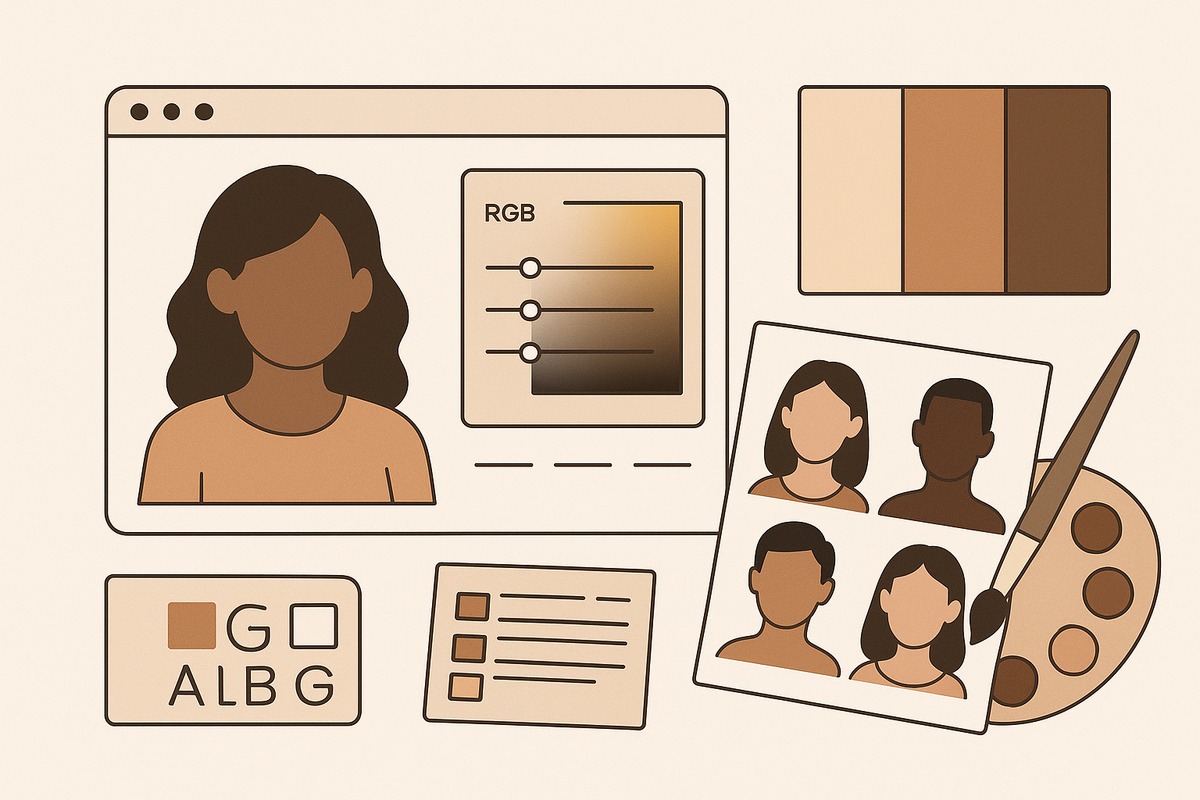
Skin tone hex codes are six-digit alphanumeric codes that represent specific skin color shades digitally. For example, #d47a7a is a common hex code seen in fair-to-medium skin palettes. These codes allow precise communication of color in web design, digital art, app UI, and avatar creation, ensuring that the visual representation remains consistent regardless of platform or device. Hex codes are based on the RGB color model but are typically used in web development and digital graphics because they are concise and widely recognized.

Hex codes are especially useful because they remove ambiguity—two designers working in different locations with the same hex code will produce identical colors. This is crucial for brand consistency, user interface design, and digital art where accuracy is paramount. In addition, hex codes can be easily converted to other formats (like RGB, CMYK, or HSV) for use in print, animation, or cross-platform projects.

Why Are Accurate Skin Tone Colors Important?

  • Representation: Nuanced skin tone color palettes ensure that digital spaces reflect the diversity of real people. Since digital media reaches a global audience, representing a wide range of skin tones helps users feel seen and respected. This inclusivity is especially important in industries like gaming, education, telemedicine, and virtual reality, where avatars or patient representations must be as realistic as possible.
  • Realism: Choosing the correct skin color hex codes prevents unnatural, chalky, or cartoonish appearances. Incorrectly chosen hex codes may result in avatars or illustrations that look off-putting, which can break immersion or reduce trust in the product. Realistic skin tones are vital for products in beauty, healthcare, and social media, where users expect lifelike results.
  • Accessibility: Proper contrast and inclusivity in design make interfaces more usable for everyone. When designers use accurate skin tone colors, they improve the overall accessibility of their products. This includes ensuring that all users, regardless of skin color, can interact with and enjoy the content. Accessibility considerations may include contrast ratios between skin tones and interface elements, especially for users with visual impairments.

Use Cases in Modern Digital Media

From AI-powered looksmaxxing apps like Maxx Report to avatar builders and health tech, skin tone hex codes are foundational. Whether you’re building a character creator, a telemedicine app, or a beauty filter, getting skin color hex right is crucial for user trust and satisfaction. For example, telemedicine platforms use accurate skin tone representation to help dermatologists remotely assess patients’ skin conditions. In gaming and VR, players expect avatars that mirror their real appearance, right down to undertone and depth.

The demand for accurate skin tone representation has also grown with the rise of social media and virtual influencers. Platforms like Instagram, Snapchat, and TikTok rely on skin tone hex codes for filters and AR effects, which need to adapt to a user’s real complexion. Additionally, educational tools and medical simulations incorporate realistic skin tones to train healthcare professionals or to teach students about global diversity.

Section 2: Comprehensive Skin Tone Hex Code Palettes by Depth

Grouping Skin Tones by Depth

Skin tones span a spectrum from fair to deep. Designers and artists often organize them as:

  • Fair
  • Light
  • Medium
  • Tan
  • Dark
  • Deep

Each group encompasses a range of hues and undertones. For example, the "fair" group may include cool, neutral, and warm variations, reflecting the diversity within each depth. Designers often use these categories as a starting point for building color palettes that can be further adjusted for undertones and individual preferences.

Hex Code Lists by Skin Depth

Below is a representative set of skin tone hex codes, each with a corresponding RGB value for reference. These hex codes are commonly used in UI libraries, avatar tools, and digital art platforms:

  • Fair: #ffe0bd (RGB 255, 224, 189), #fcd7b6 (252, 215, 182)
  • Light: #f1c27d (241, 194, 125), #e0ac69 (224, 172, 105)
  • Medium: #c68642 (198, 134, 66), #d1a17b (209, 161, 123)
  • Tan: #a87954 (168, 121, 84), #bb8a5a (187, 138, 90)
  • Dark: #8d5524 (141, 85, 36), #6d3b1a (109, 59, 26)
  • Deep: #3d1f0f (61, 31, 15), #532e21 (83, 46, 33)

To offer even greater coverage, designers sometimes use intermediate codes or blend between two hex codes to achieve natural gradients and shadows. For instance, a transition from #8d5524 (dark) to #3d1f0f (deep) can help simulate realistic lighting in digital art or 3D character models.

How These Palettes Are Used

  • Avatar/UI Design: Allowing users to pick their closest match increases engagement. For example, a character creator might offer a slider or a palette of 12–20 skin tone hex codes, so users can find the shade that best represents them.
  • Medical & Research: Mapping skin depth accurately is crucial for dermatology and telehealth. Tools like Maxx Report may use these codes to assess skin health, pigmentation disorders, or even to simulate the effects of treatments on different skin tones.
  • Art/Illustration: Artists often blend multiple hex codes for highlights and shadows. For instance, they may use #e0ac69 for the base, #c68642 for shadows, and #f1c27d for highlights on "light" skin, layering these values for a lifelike result.

For more on how facial features relate to digital transformation, see this detailed guide on digital makeovers. These resources can help designers understand how color, lighting, and facial geometry interact in modern digital platforms.

Section 3: Skin Tone Color Palettes by Undertone

What Are Undertones?

Undertones are subtle hues beneath the skin’s surface that influence overall coloration. The main undertones:

  • Cool (pink, red, bluish)
  • Neutral (a balance of cool and warm)
  • Warm (yellow, golden, olive)
  • Olive (a subset, often greenish-gold)

Identifying undertones is essential for realism in digital representation. For example, two people with the same skin depth (such as "medium") may look quite different if one has a cool undertone and the other a warm undertone. Undertones affect how skin appears under different lighting and how it interacts with clothing, makeup, or background colors in digital scenes.

Hex Codes by Undertone

  • Cool Fair: #f9dcc4 (249, 220, 196)
  • Cool Medium: #c68676 (198, 134, 118)
  • Neutral Light: #e1b899 (225, 184, 153)
  • Neutral Tan: #b07d62 (176, 125, 98)
  • Warm Fair: #ffe39f (255, 227, 159)
  • Warm Medium: #e0b084 (224, 176, 132)
  • Olive Light: #bfa380 (191, 163, 128)
  • Olive Medium: #a4845c (164, 132, 92)

These hex codes are starting points; artists and designers often tweak them to create gradients, highlights, and shadows. For example, someone with olive undertones may use #a4845c as a base and lighten or darken it depending on the desired effect. In makeup and beauty tech, matching undertones is key to achieving natural-looking results in virtual try-ons or product recommendations.

Why Undertones Matter in UI and Art

  • Makeup: Products must match both depth and undertone for realism. A foundation that matches skin depth but ignores undertone may look unnatural, which can lead to user dissatisfaction in virtual try-on apps or e-commerce previews.
  • Avatars: Users expect undertones that reflect real skin, not just lightness/darkness. Many platforms now allow users to select or adjust undertones separately from depth to increase personalization.
  • Inclusivity: Neutral and olive palettes are crucial for multi-ethnic accuracy. Ignoring these undertones can result in a palette that favors only a subset of global skin diversity, undermining inclusion efforts.

Accurately representing undertones avoids the common pitfall of "flat" or unrealistic digital skin. For more on color analysis, check out the feature in Maxx Report, which visually demonstrates undertone extraction and matching. This tool can help both professionals and enthusiasts analyze and replicate undertones for digital or physical applications.

Section 4: Ethnicity-Specific and Inclusive Skin Color Hex Codes

Why Ethnicity Matters for Skin Tone Palettes

Skin color is shaped by genetics and geography, resulting in distinct ranges for different ethnic backgrounds. Inclusive palettes prevent erasure and foster belonging in global products. Failing to provide a wide spectrum risks alienating users who do not see themselves accurately represented, which can impact everything from product adoption to user satisfaction and even brand reputation.

Ethnicity-specific palettes are also valuable for research and medical applications. For example, accurate mapping of skin color is vital in teledermatology, where a physician may need to recognize subtle variations in skin health across different populations.

Sample Hex Codes by Ethnicity

  • Caucasian/European: #ffe0bd, #f1c27d, #e0ac69 (fair-light)
  • South Asian/Indian: #c68642, #ad7c59, #b97a56 (medium-tan)
  • East Asian: #f4cda5, #e7b98a, #d2a074 (light-medium with yellow/olive)
  • Mediterranean: #b97a56, #a87954, #bfa380 (medium-tan-olive)
  • African: #8d5524, #6d3b1a, #3d1f0f (dark-deep)

These codes are not exhaustive but serve as a foundation for more granular customization. Designers may provide additional shades or allow users to fine-tune their avatars or illustrations for greater accuracy. In practice, combining depth and undertone with ethnicity-specific guidance gives the most realistic and inclusive results.

Building Inclusive Avatars and UIs

  • Offer a wide spectrum, not just 3-5 tones. Many modern avatar builders and UI kits now include at least 12–18 skin tones, along with options for undertone customization.
  • Allow users to fine-tune for undertone and depth. Sliders, color pickers, or AI-powered suggestions can help users create a digital version of themselves that feels authentic.
  • Reference real-world data, such as those used in medical or beauty research, not just generic palettes. For example, referencing studies that analyze the distribution of skin color in global populations or using data from makeup brands that have developed inclusive shade ranges.

For avatar and UI designers, using diverse skin tone hex codes is essential for user identification and self-expression. Learn how AI can further personalize user features in our post on face shape quizzes powered by AI. These tools help users see themselves more accurately represented in digital environments.

Section 5: Technical Cross-References—RGB, CMYK, and HSV for Skin Colors

How Hex, RGB, CMYK, and HSV Relate

Hex codes are most common in web and digital design, but other systems are often needed for printing or precise editing:

  • Hex: #d47a7a
  • RGB: (212, 122, 122)
  • CMYK: (0, 42, 42, 17)
  • HSV: (0°, 42%, 83%)

Each color model serves a unique purpose. RGB (Red, Green, Blue) is the foundation for digital screens, while CMYK (Cyan, Magenta, Yellow, Black) is essential for print. HSV (Hue, Saturation, Value) is popular in painting and digital art because it reflects how humans perceive color. Understanding these relationships is crucial for consistency when moving between digital and print mediums.

  • #ffe0bd — RGB (255, 224, 189), CMYK (0, 12, 26, 0), HSV (30°, 26%, 100%)
  • #c68642 — RGB (198, 134, 66), CMYK (0, 32, 67, 22), HSV (30°, 67%, 78%)
  • #6d3b1a — RGB (109, 59, 26), CMYK (0, 46, 76, 57), HSV (24°, 76%, 43%)

For example, a designer creating digital illustrations for a print magazine needs to ensure that the skin tone chosen in hex (for web) converts accurately to CMYK (for print). Some colors that look vibrant on a monitor may appear dull or "muddy" in print unless properly converted and proofed.

Why Technical Accuracy Matters

  • Consistency: Ensures skin color hex values look the same across screens and print. This is particularly important for global brands, medical illustrations, or evidence-based digital health tools, where accurate skin tone representation can impact outcomes or perceptions.
  • Professional Output: Designers working with branding, packaging, or health records need precise conversions. Mistakes in color conversion can lead to branding inconsistencies, misidentification in healthcare, or even regulatory issues in medical publications.

For those working in AI beauty analysis, accurate color mapping ensures reports and recommendations reflect real-world appearance. Explore how AI-driven beauty tools work in detail in our post on automated beauty recommendations. These platforms often use machine learning to map skin tone data across multiple color profiles for consistency.

Section 6: Extracting and Using Skin Tone Hex Codes in Digital Design

How to Sample Skin Tone Hex Codes from Photos

  • Photoshop/Eyedropper Tool: Open an image, select the skin area with the Eyedropper, and view the hex code in the color panel. Sample from well-lit, shadow-free regions for accuracy. Avoid areas with heavy makeup, glare, or colored lighting, as these can skew the results.
  • Online Tools: Websites like imagecolorpicker.com or coolors.co let you upload a photo and extract the hex code directly. These tools are quick for non-professionals or those without access to advanced editing software.
  • Mobile Apps: Some smartphone apps allow you to sample colors from live camera feeds or gallery photos. This can be useful for on-the-go color matching or when working with physical samples.

When sampling, always use a large enough brush/sample size to average out minor variations like freckles or pores. For high-precision work, sample multiple points and average the values for a more accurate result.

AI-Powered Color Analysis

Apps like Maxx Report automate feature and color extraction, analyzing undertone, depth, and even skin health for a comprehensive report. These tools use machine learning to avoid lighting bias and provide consistent skin tone hex results across diverse images. For example, Maxx Report can process selfies taken in different lighting conditions and normalize the color data, helping users receive more accurate beauty or skincare advice.

AI-powered tools often segment the image, detect skin pixels, and classify tone and undertone using training data from a wide range of populations. This reduces human error and speeds up the process, making professional-grade analysis accessible even to casual users or developers.

Applying Hex Codes in Digital Media

  • UI/UX: Use skin tone color palettes for avatars, onboarding illustrations, and user customization features. For example, a dating app might let users select or fine-tune their avatar’s skin tone for profile images, making the experience more personal and inclusive.
  • Digital Art: Layer multiple skin tone hex codes for highlights, midtones, and shadows. For example, digital portrait artists may use #e0ac69 for the base, #bb8a5a for shadows, and #ffe0bd for highlights, blending them for a realistic effect.
  • Prototyping: Test contrast and accessibility by pairing skin color hex with text or UI elements. This step is vital to ensure usability across devices and for users with visual impairments.

Implementing these hex codes in CSS, SVG, or design software is usually as simple as copying and pasting the code. However, always preview your design on multiple devices and lighting conditions to ensure consistency.

Section 7: Accessibility, Representation, and Best Practices with Skin Tones

Designing for Accessibility

  • Ensure sufficient contrast between skin tone colors and text or UI elements. WCAG guidelines recommend a contrast ratio of at least 4.5:1 for normal text and 3:1 for large text. This applies to any text layered over avatars or skin-colored backgrounds.
  • Test color palettes with accessibility checkers (such as WebAIM) to avoid readability issues. These tools simulate how users with color blindness or low vision perceive your palette, helping you avoid accidental exclusion.
  • Avoid using skin tone as the only means of conveying information—always provide alternative cues. For example, do not use skin color to indicate status, role, or function in a UI; use icons, labels, or patterns instead.

Accessibility is not just about color-blindness or vision impairment; it’s about ensuring all users feel comfortable and represented. Failing to consider accessibility can lead to poor user experience, legal issues, and negative press for your brand or product.

Representation and Sensitivity

  • Offer a wide variety of skin tone hex codes, not just a handful. Limiting options can inadvertently reinforce stereotypes or exclude groups. Modern platforms such as Apple’s Memoji, Bitmoji, and Google’s emoji keyboards offer over a dozen skin tone options.
  • Respect cultural and personal identity by allowing granular customization. Users should be able to choose not just depth, but also undertone and, if relevant, features like freckles, moles, or birthmarks.
  • Avoid stereotypes (e.g., assuming profession or personality from skin color). Representation should be authentic and free from bias. For example, avoid assigning certain clothing, accessories, or facial expressions based on skin tone.

Consulting with diverse user groups during development and testing phases can help avoid unintentional bias or exclusion in your palette.

Common Mistakes to Avoid

  • Chalky/Grayish Tones: Occur when hex codes have too much white or gray—reference real photos instead. These tones often result from using generic color pickers without calibrating for natural skin reflectance.
  • Over-saturation: Exaggerated reds or yellows can look cartoonish; use subtle, blended shades. This problem is common when designers try to "enhance" color vibrancy for digital screens without considering how skin looks in different lighting.
  • Ignoring Undertones: Leads to flat, unrealistic skin rendering. Always assess both depth and undertone when creating or selecting skin color palettes.

For more practical tips on achieving natural, data-driven glow-ups, see our post on AI glow up tips. These insights can help both professionals and hobbyists create more lifelike and engaging digital representations.

Section 8: Industry Standards—Pantone, Makeup, and Medical Mapping

Pantone and Beauty Industry Reference Colors

The makeup and printing industries often use Pantone codes to standardize skin tones. For example, Pantone 12-0910 TCX (Pale Peach) or Pantone 18-1022 TCX (Cocoa Brown) translate to specific hex values. These standards enable consistency in packaging, advertising, and digital try-ons. Brands such as Fenty Beauty and MAC have collaborated with color scientists to develop shade ranges mapped to Pantone or custom color systems, making digital try-ons more reliable.

Having industry-wide standards helps prevent color drift when products are viewed on different screens, printed in magazines, or displayed in-store. For example, a lipstick or foundation shade must look the same in a mobile app, on a website, and in a physical store display. Pantone and similar systems provide the foundation for calibration and color matching at every step of the supply chain.

Medical Mapping: Fitzpatrick Skin Types

  • Type I: #ffe0bd (very fair, always burns)
  • Type II: #fcd7b6 (fair, usually burns)
  • Type III: #e1b899 (light, sometimes burns)
  • Type IV: #c68642 (medium, rarely burns)
  • Type V: #8d5524 (dark, very rarely burns)
  • Type VI: #3d1f0f (deep, never burns)

The Fitzpatrick scale is used by dermatologists and researchers to assess risk factors for skin cancer, pigmentation disorders, and response to treatments. Digital health platforms often use these hex codes to simulate or illustrate patient cases, making remote consultations more effective and accurate.

Why These Standards Matter

  • Medical: Fitzpatrick mapping is used in dermatology and telemedicine for risk assessment. For example, certain laser treatments or medications are prescribed differently based on skin type, making accurate classification critical for safety and efficacy.
  • Cosmetics: Shade-matching tools and virtual try-ons rely on industry-standard hex codes for accuracy. This ensures that what a user sees on their screen matches what they receive in the mail or purchase in-store.
  • Design: Consistency across print and screen prevents color drift and user confusion. Using Pantone or Fitzpatrick-referenced hex codes allows designers to maintain brand integrity and improve user trust.

As digital beauty and health platforms evolve, accurate skin tone hex codes linked to professional standards will only grow in importance. This not only improves the user experience but also opens up opportunities for more personalized, effective products and services.

Conclusion

Skin tone hex codes are a foundation for inclusive, realistic, and accessible digital experiences. Whether you’re a designer, developer, artist, or product creator, using a comprehensive skin tone color palette—organized by depth, undertone, and ethnicity—ensures your work truly represents the world’s diversity. Cross-referencing with RGB, CMYK, and HSV lets you work seamlessly across platforms. Always extract hex codes carefully and test for accessibility. For advanced, AI-powered color analysis and personal recommendations, explore Maxx Report, which brings state-of-the-art skin tone analysis to your fingertips.

FAQ

Q: What is the hex code for natural skin tone?

A: There is no single "natural" skin tone hex code, as human skin varies widely. Popular baseline codes are #ffe0bd (fair), #c68642 (medium), and #8d5524 (dark), but choosing the right hex depends on depth and undertone.

Q: What are hex codes for different skin tones by ethnicity?

A: Caucasian/European: #ffe0bd, #f1c27d; South Asian/Indian: #c68642, #ad7c59; East Asian: #f4cda5, #e7b98a; Mediterranean: #b97a56, #a87954; African: #8d5524, #3d1f0f. Always reference undertone and depth for accuracy.

Q: How do I find the hex code of a person's skin from a photo?

A: Use an eyedropper tool in Photoshop or online color pickers. Click a mid-tone, shadow-free spot on the skin. For advanced analysis, apps like Maxx Report can automate this process and adjust for lighting.

Q: What hex codes work best for fair vs. deep skin tones in digital design?

A: For fair skin, use hex codes like #ffe0bd or #fcd7b6. For deep skin, try #3d1f0f or #532e21. Always test your palette for contrast and display accuracy.

Q: Are there inclusive skin tone hex palettes for UI and avatar design?

A: Yes! Modern palettes cover at least 12–18 tones, spanning fair, light, medium, tan, dark, and deep, plus undertones. Offer user customization for best inclusivity.

Q: What hex codes represent olive or neutral undertones in skin?

A: Olive undertones: #bfa380 (light), #a4845c (medium). Neutral undertones: #e1b899 (light), #b07d62 (tan). These help avoid yellow or pink bias in digital skin tones.